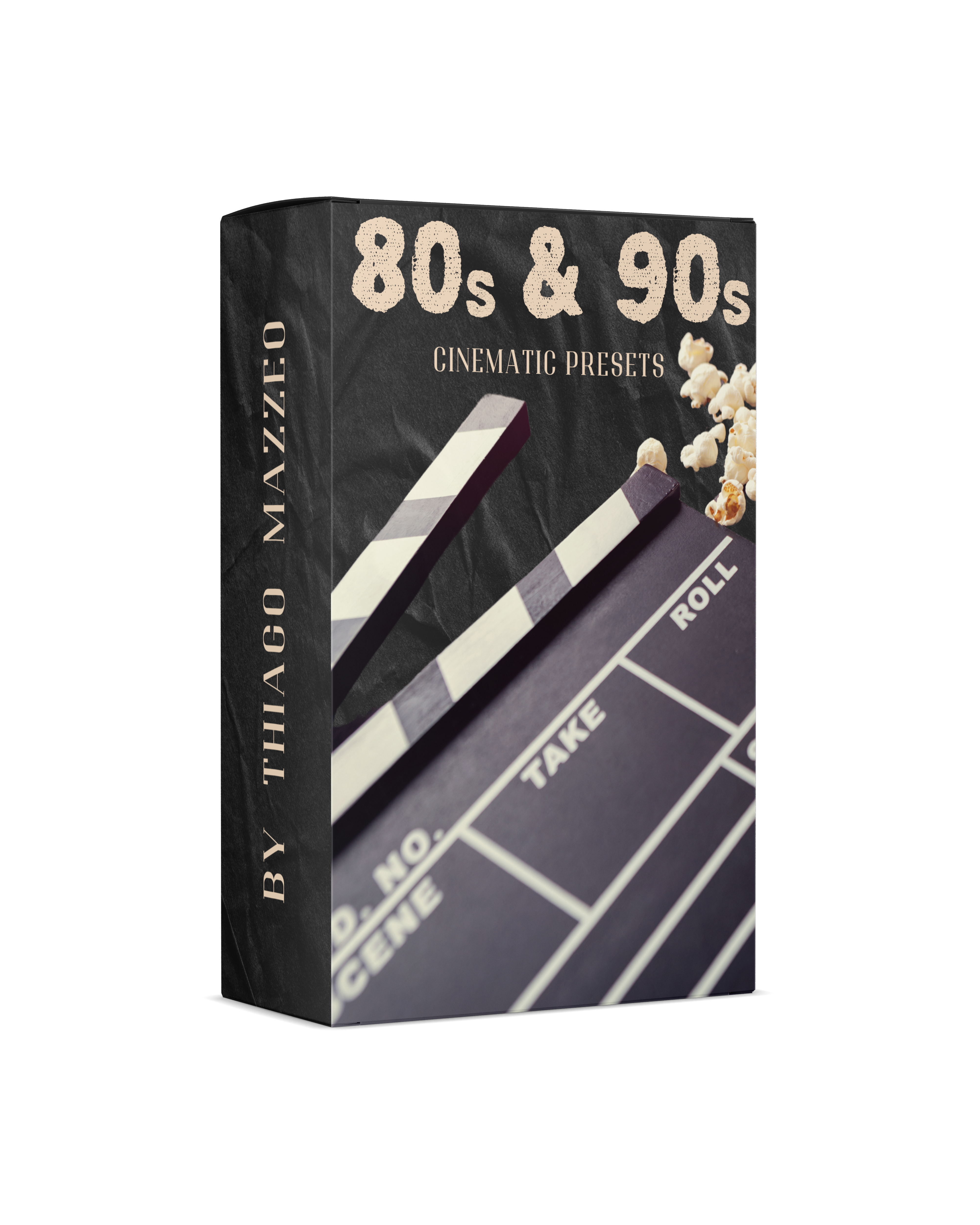
80s & 90s Lightroom Film Presets
Step into the golden era of cinema. This pack of 12 Lightroom presets was built to bring the look of classic 80s and 90s films straight to your photos — the rich colors, moody contrast, and film grain that defined the movies we grew up rewinding.
Each preset is inspired by a specific film, not a vague "vintage vibe." Think the cold cyan of The Terminator, the golden dust of Indiana Jones, the green tint of The Matrix. One click, and your photo looks like a frame from the movie.
✔️ Works with Lightroom Classic, Desktop, and Mobile — including the free Lightroom mobile app
✔️ Instant download after purchase (.XMP + .DNG files)
✔️ Fully adjustable — these are starting points, not straitjackets
🎬 Lights, Camera, Edit! Grab the pack and start grading your photos like it's 1986.
Pairs well with
80s & 90s Lightroom Film Presets
If you have any questions, you are always welcome to contact us. We'll get back to you as soon as possible, within 24 hours on weekdays.
-
Shipping Information
Use this text to answer questions in as much detail as possible for your customers.
-
Customer Support
Use this text to answer questions in as much detail as possible for your customers.
-
FAQ’s
Use this text to answer questions in as much detail as possible for your customers.
-
Contact Us
Use this text to answer questions in as much detail as possible for your customers.
What's Inside?
✔️ 12 film-inspired presets for Adobe Lightroom — each one modeled on the color grade of a specific 80s or 90s movie
✔️ .XMP files for Lightroom and Lightroom Classic, both Desktop and Mobile
✔️ .DNG files that work with the free version of Lightroom Mobile
✔️ No subscription — download once, use forever, on all your devices
Scroll down to see every preset with real before/after examples. No stock photos, no cherry-picked studio shots — these are my own photos I took in Sweden, Denmark, and Italy.
How It Works
From Download to Edit in Under 5 Minutes
- Buy the pack. You'll get a download link by email right after checkout.
- Unzip and import. Drop the .XMP files into Lightroom (or open the .DNG files in the free mobile app).
- One click. Pick a preset, tweak exposure if needed, done. Every preset is fully editable, so you can dial the look up or down to fit your shot.
No plugins, no accounts, no watermarks. Just presets that work.
PRESET
9" Blade
Inspired by Rambo: First Blood (1982)
A rugged, naturalistic look with lush greens, earthy browns, and deep shadows built for the outdoors.
Best for: forest, hiking, and moody landscape shots.
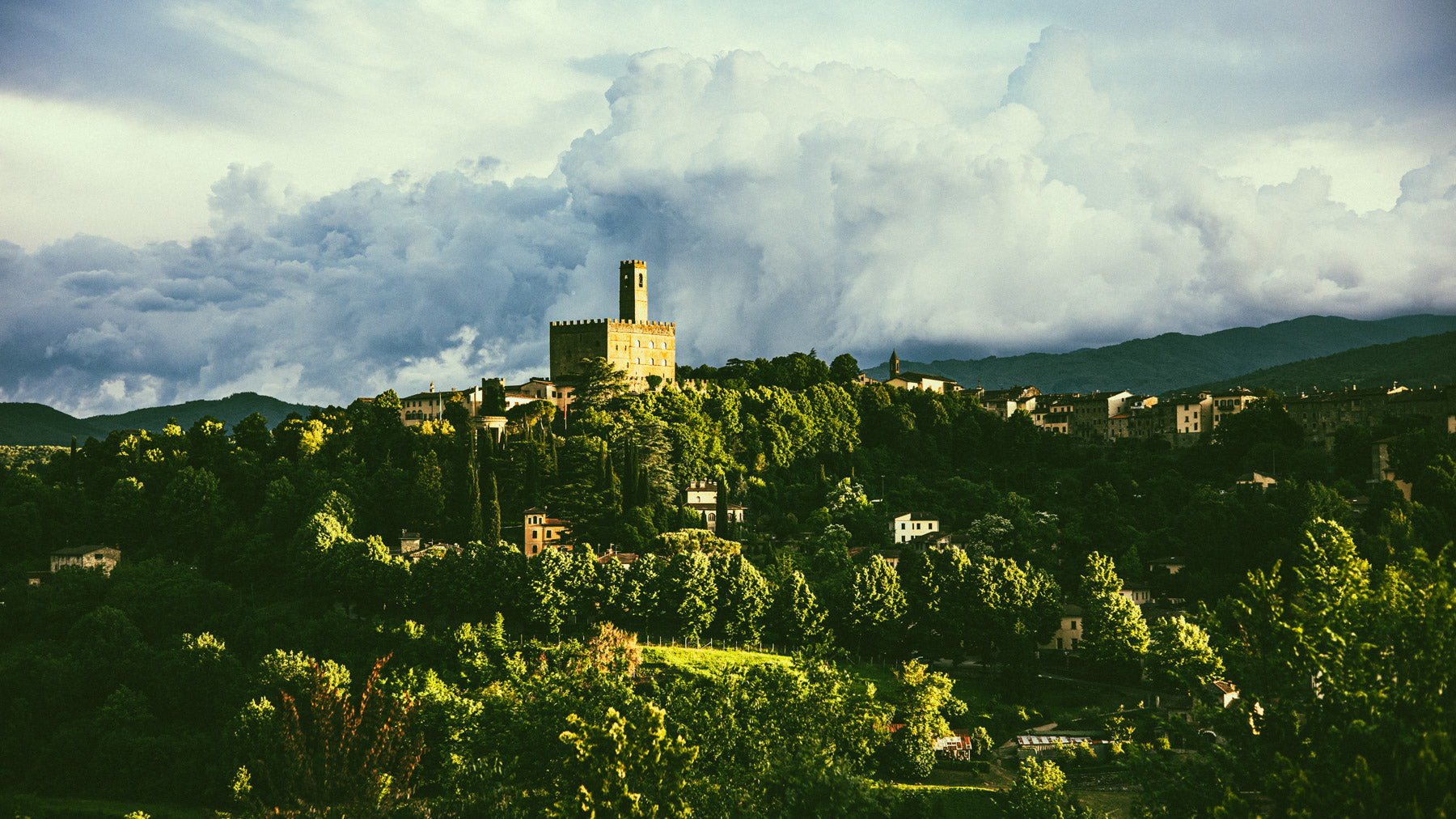
9" Blade
Preset Applied
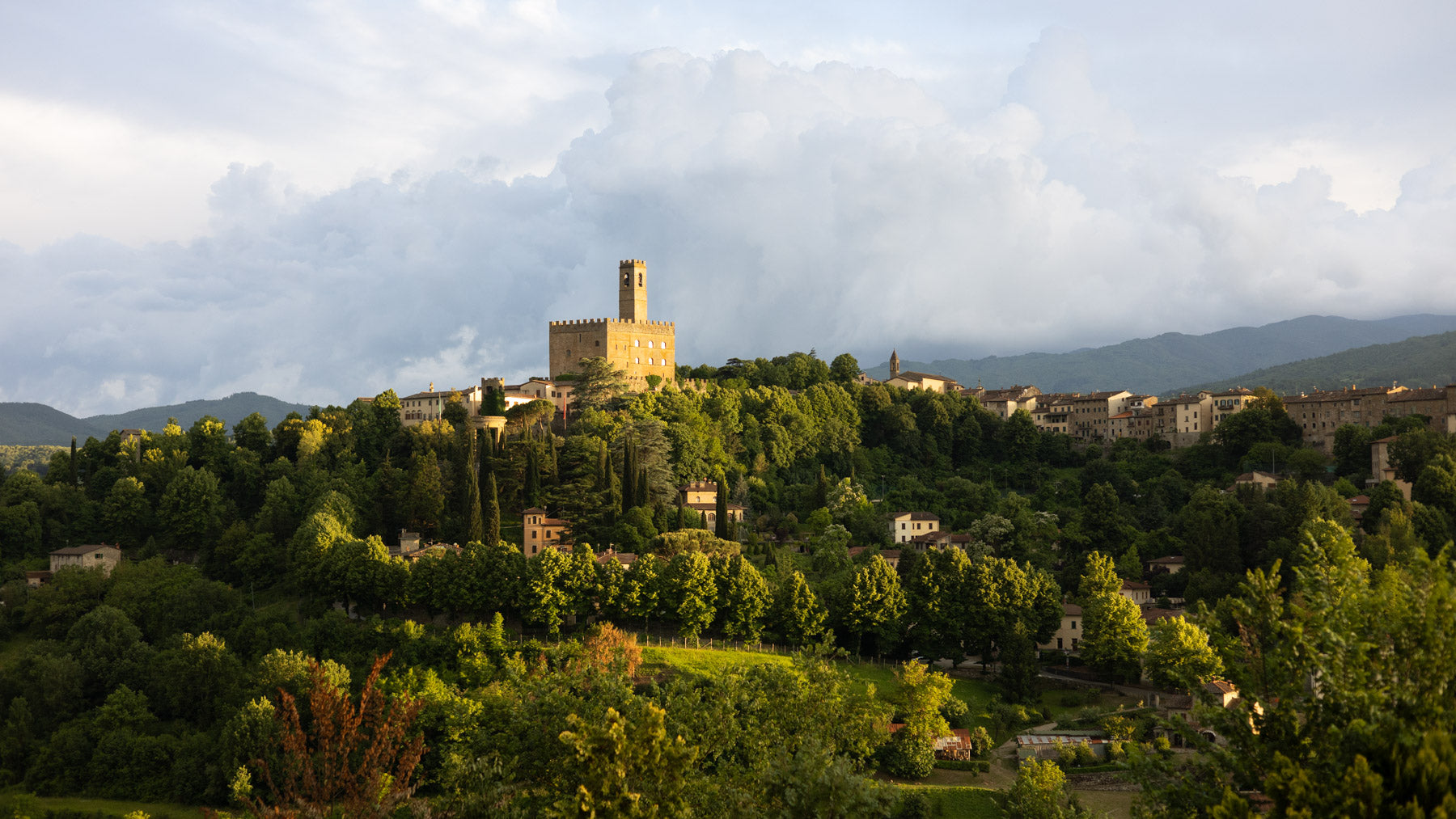
Before
PRESET
88 mph
Inspired by Back to the Future (1985)
Crisp and high-contrast, with vibrant blues and warm skin tones. Pure 80s retro-futurism.
Best for: portraits, street photography, and golden-hour shots.
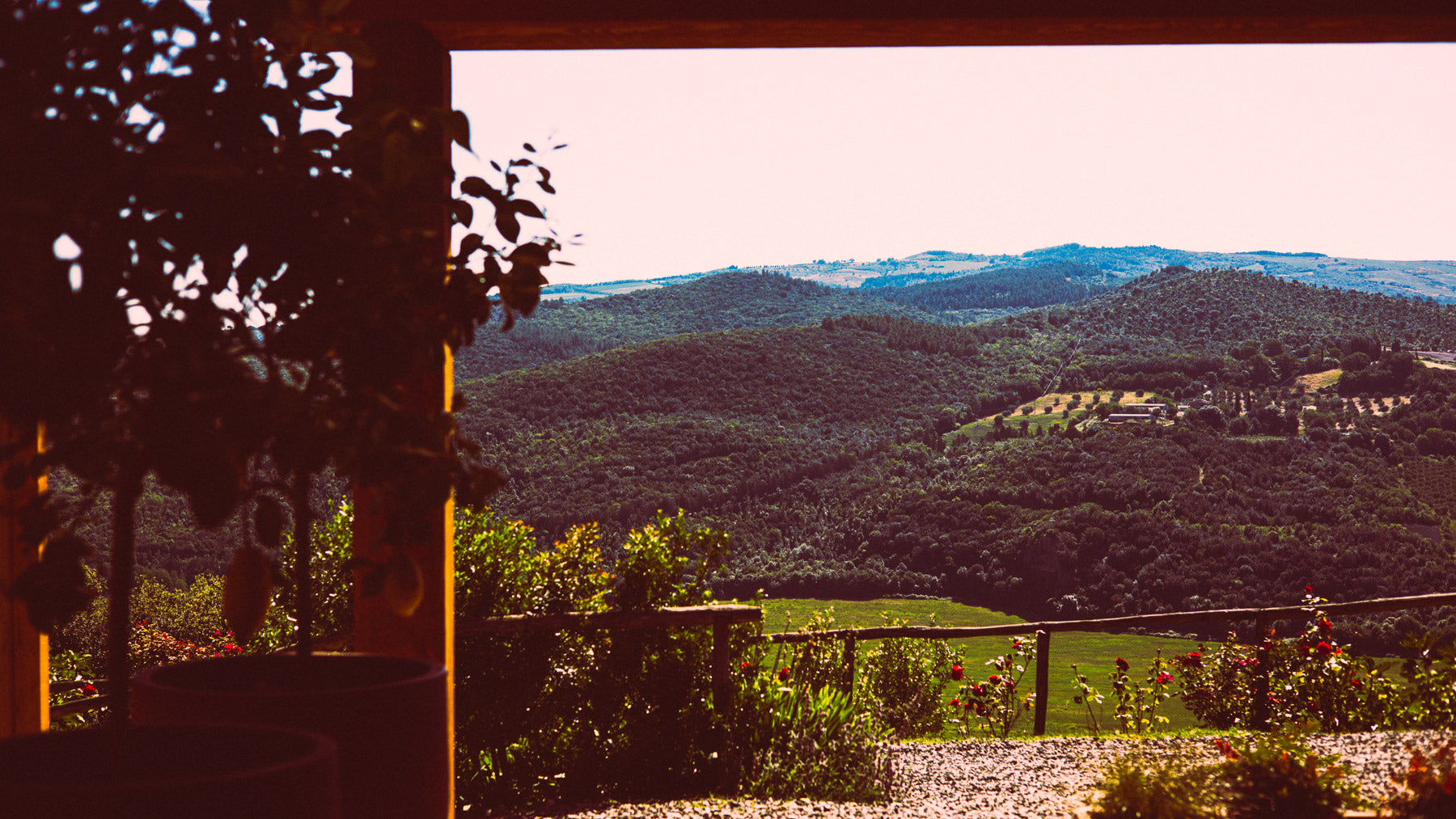
88 mph
Preset Applied
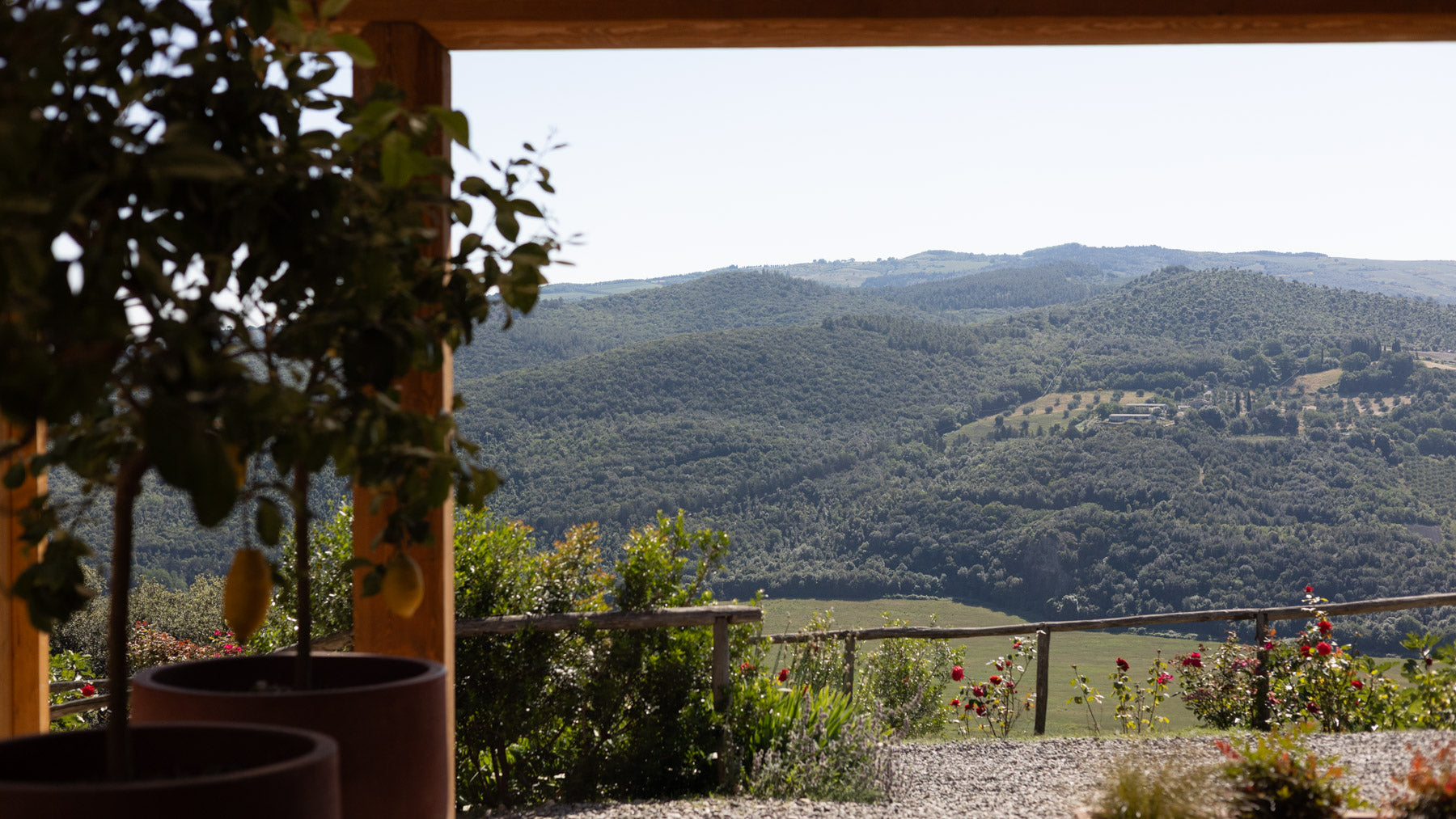
Before
PRESET
Bartertown
Inspired by Mad Max Beyond Thunderdome (1985)
A dusty, post-apocalyptic grade. Desaturated browns, warm oranges, and deep shadows.
Best for: harsh light, deserts, gritty urban scenes.
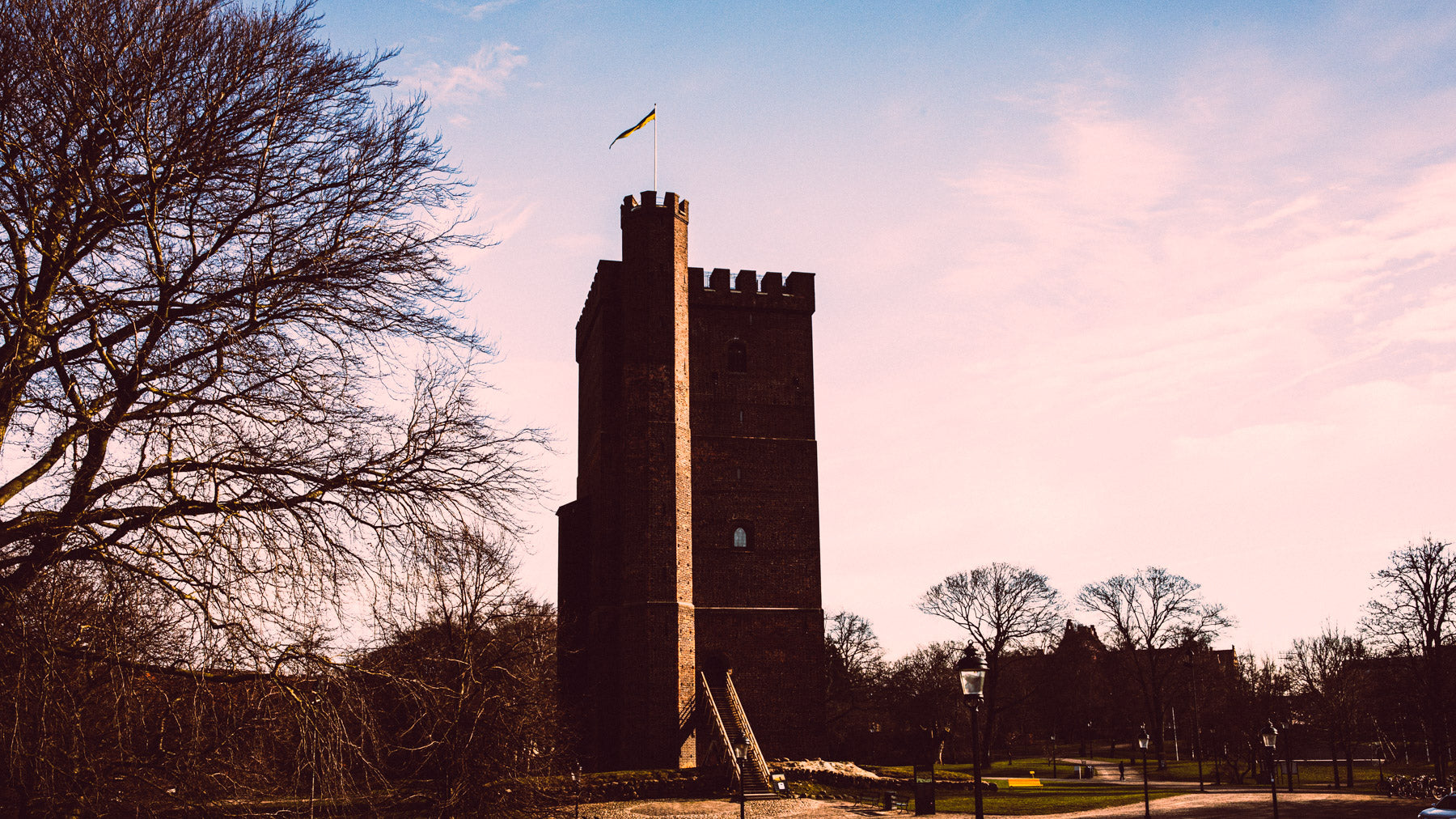
Bartertown
Preset Applied
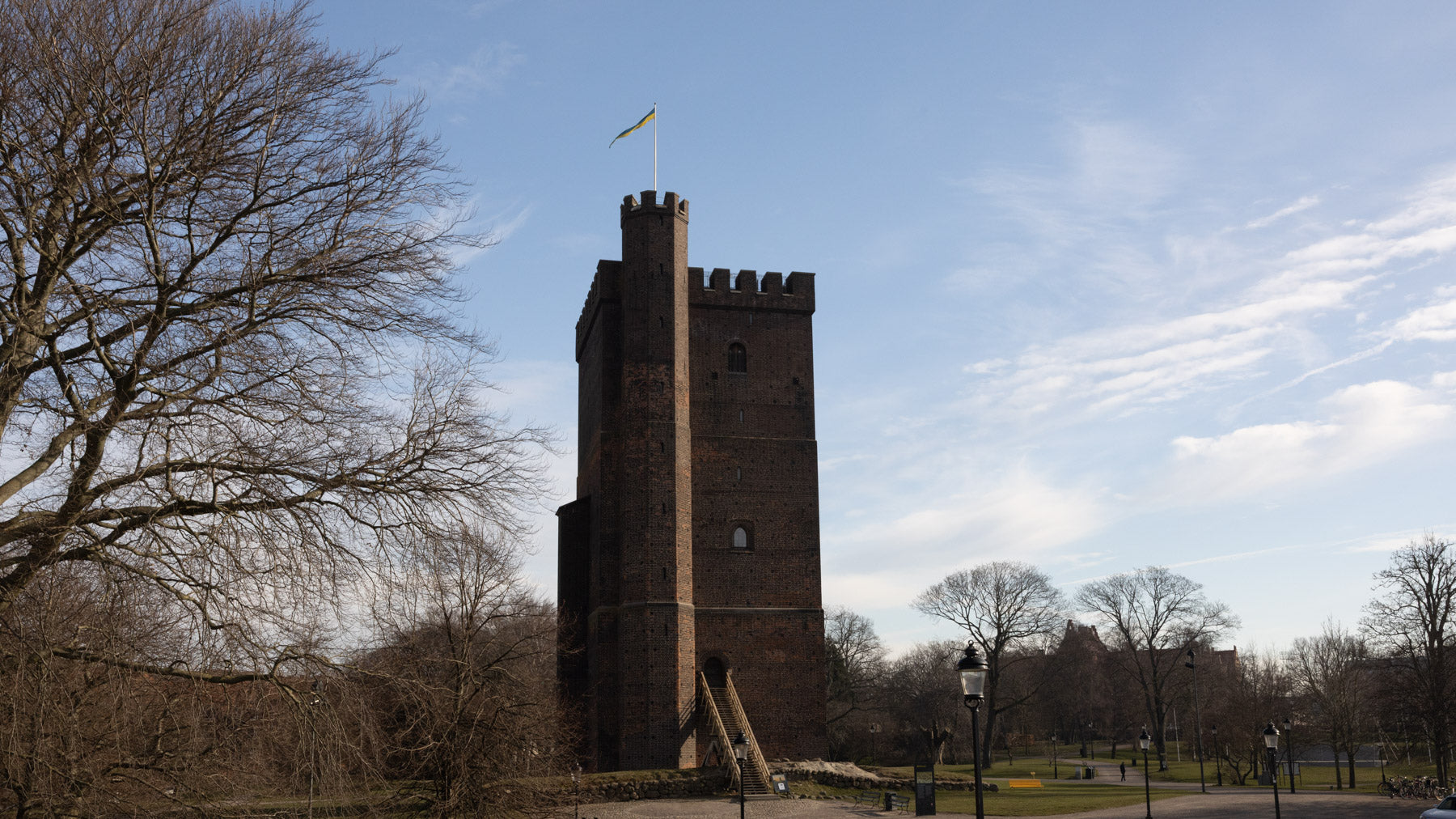
Before
PRESET
Indy
Inspired by Indiana Jones: Raiders of the Lost Ark (1981)
Classic adventure tones: warm golden highlights, earthy browns, and a touch of vintage contrast.
Best for: travel photography, old towns, and historical settings.
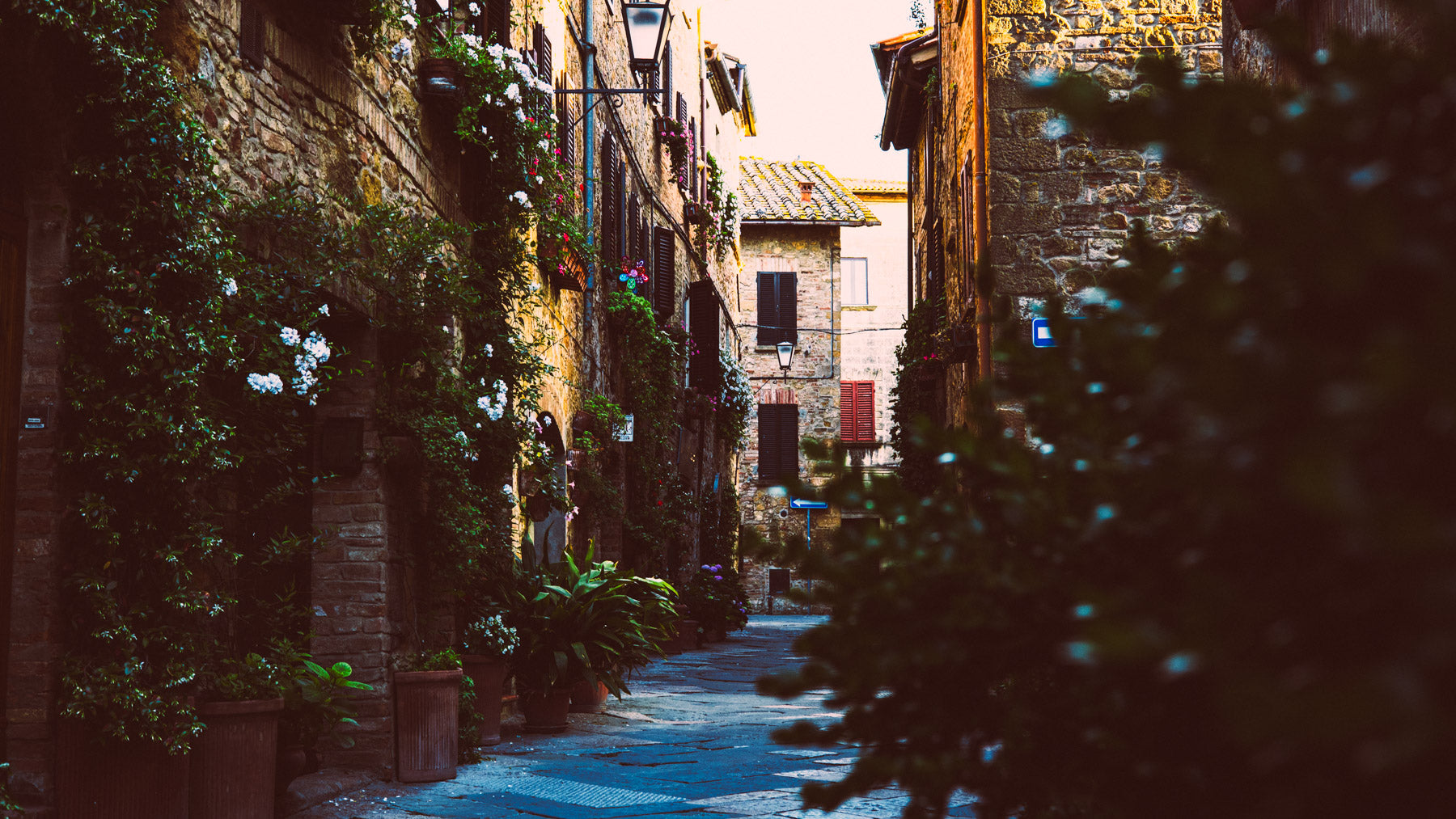
Indy
Preset Applied
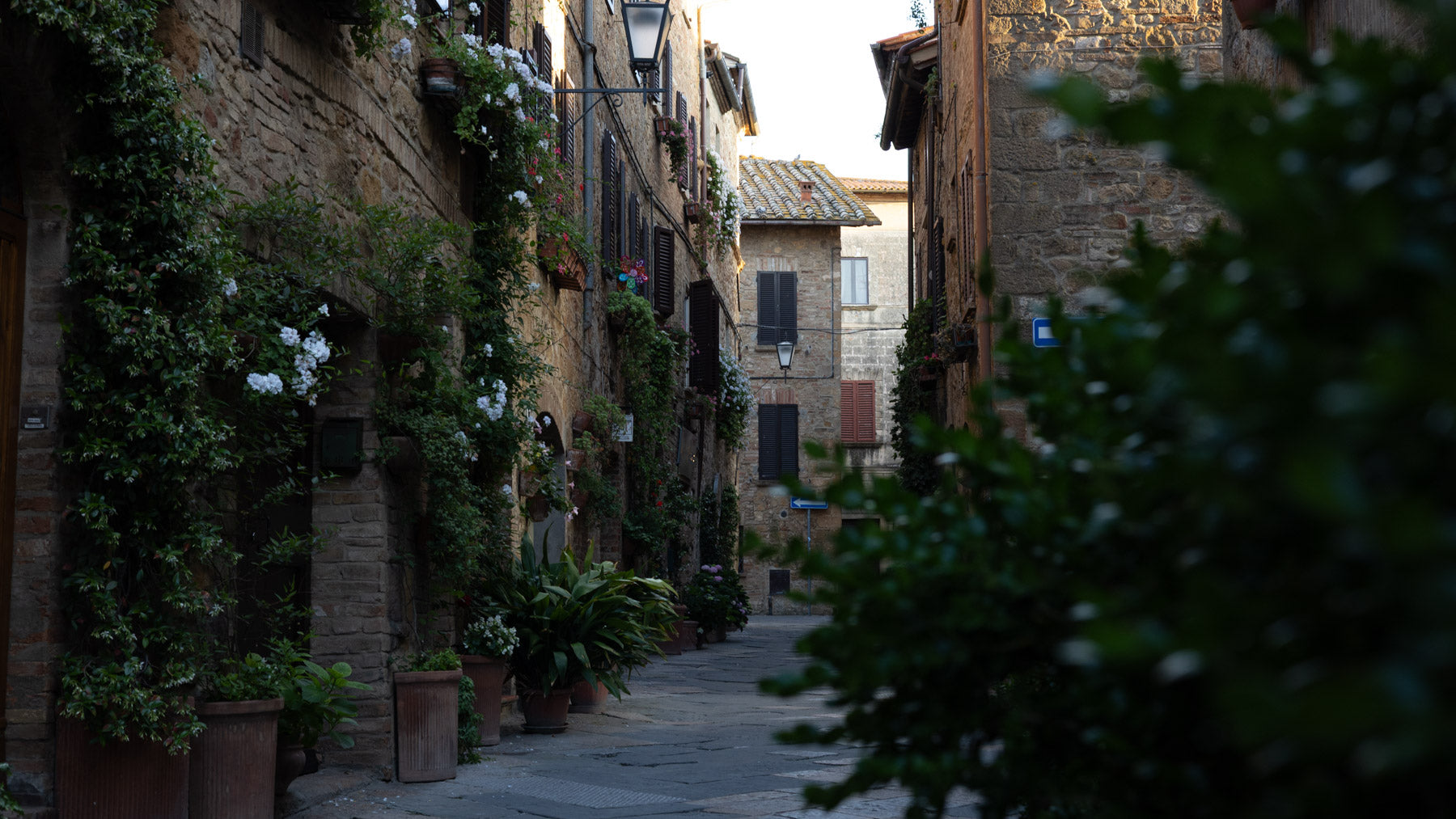
Before
PRESET
Kumite
Inspired by Bloodsport (1988)
Slightly faded and golden-toned, with deep reds and strong contrast. Underground tournament energy.
Best for: gyms, sports, and warm indoor light.
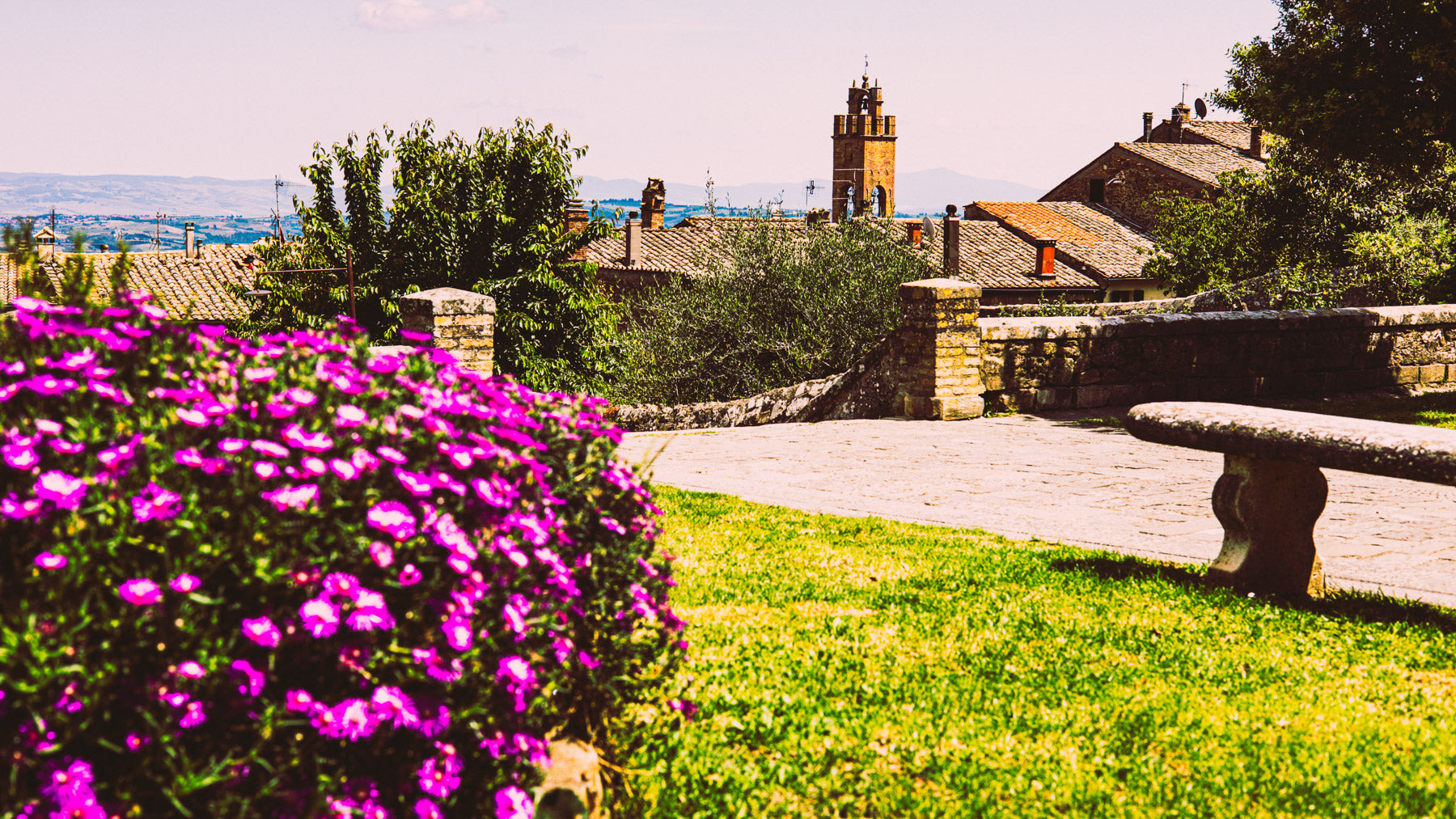
Kumite
Preset Applied
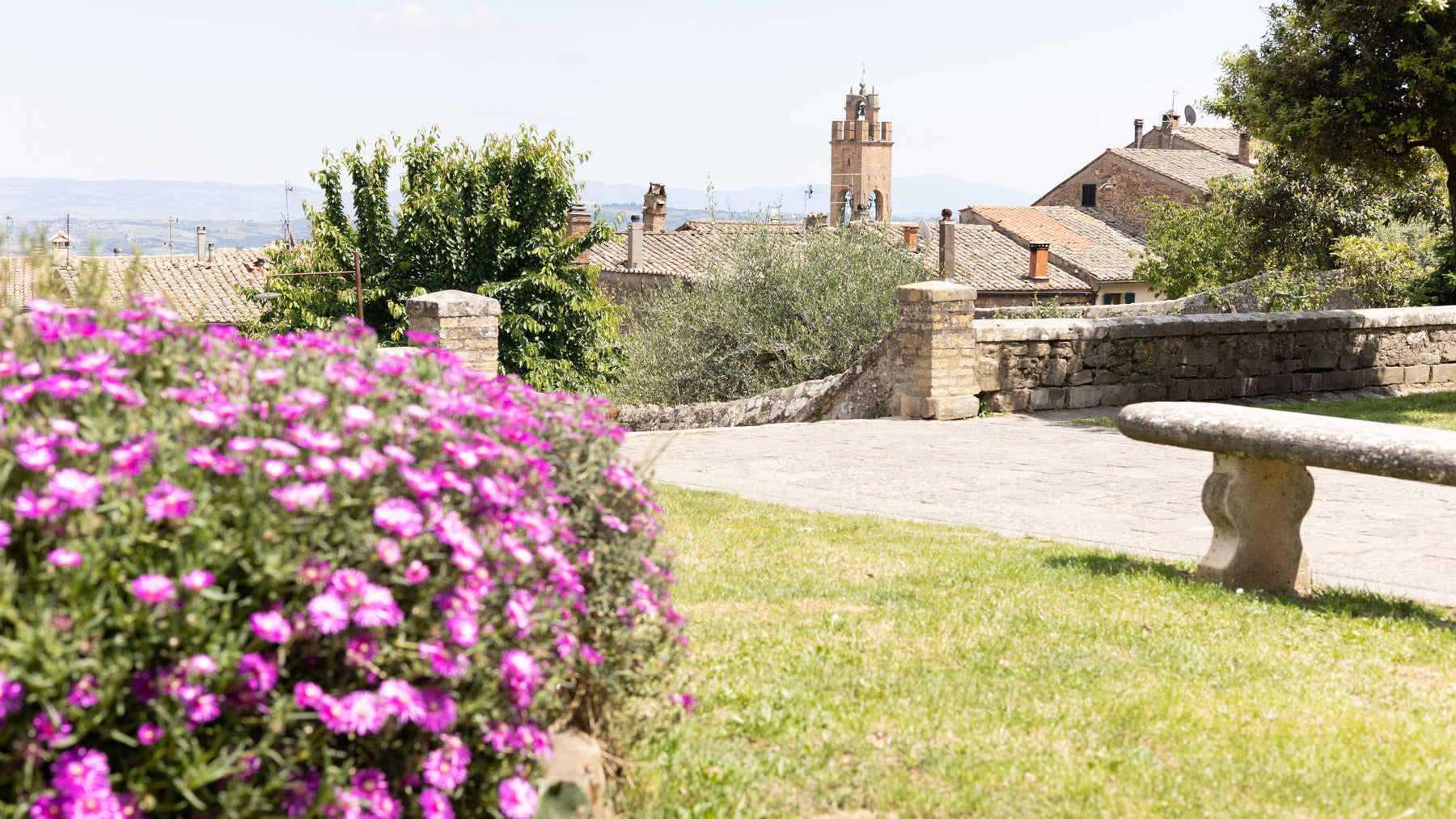
Before
PRESET
Never Rat
Inspired by Goodfellas (1990)
Warm, nostalgic, and cinematic. Rich reds, deep blacks, and golden highlights straight out of a gangster classic.
Best for: restaurants, night scenes, and lifestyle portraits.
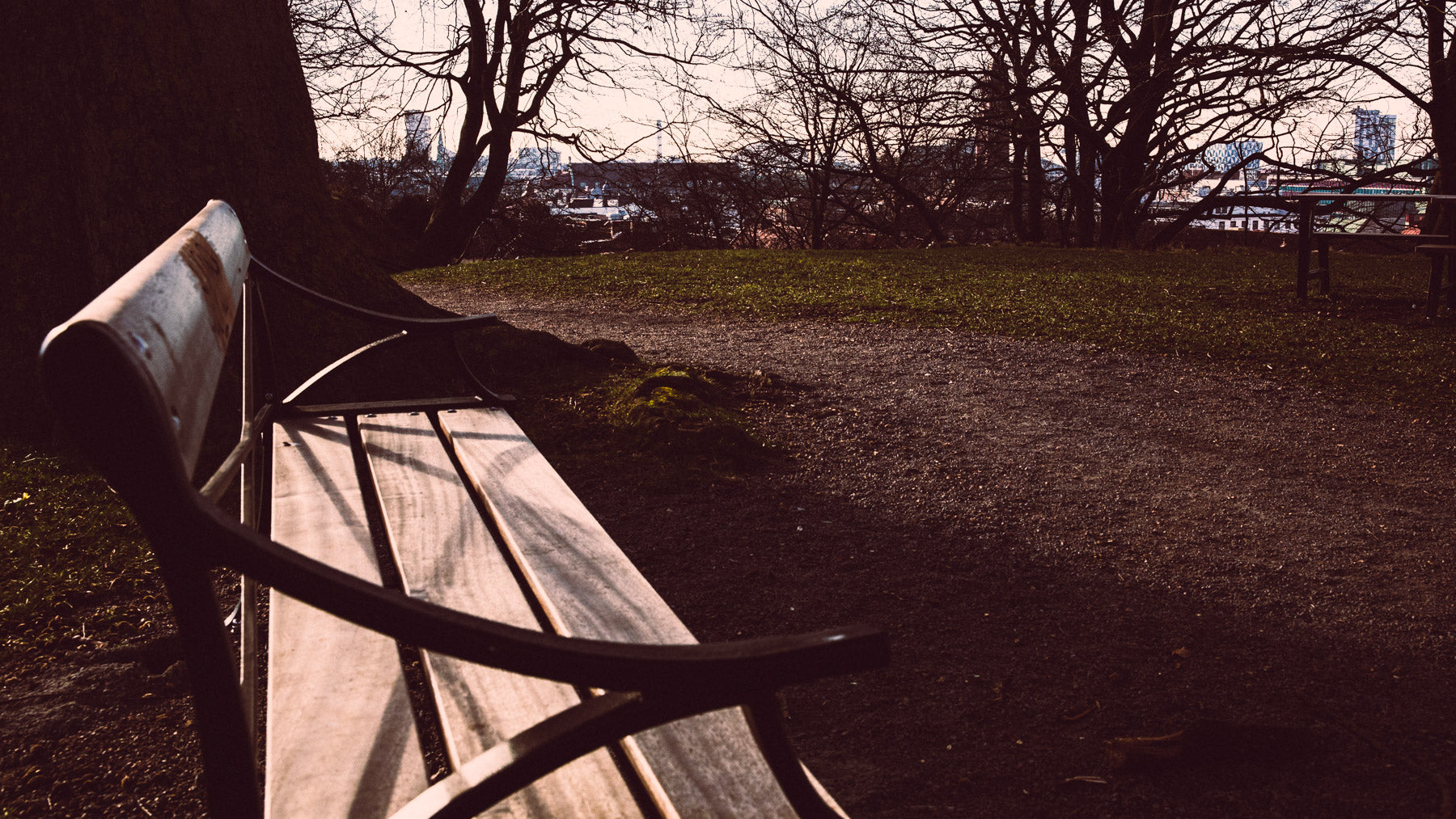
Never Rat
Preset Applied
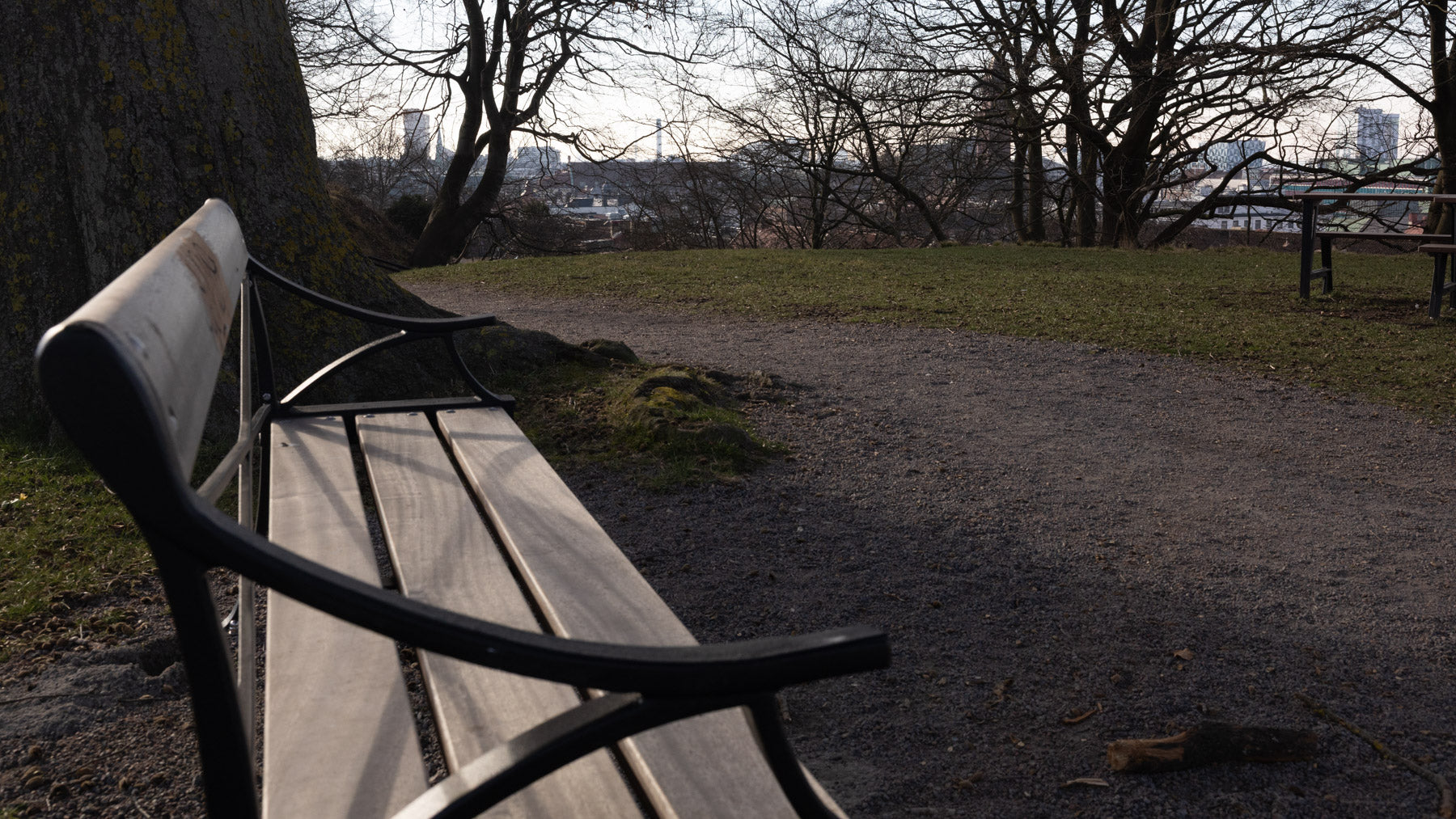
Before
PRESET
Red Pill
Inspired by The Matrix (1999)
The signature green tint, deep contrast, muted blues, and desaturated highlights. Cold, digital, cyberpunk.
Best for: cityscapes, tech, and night photography.
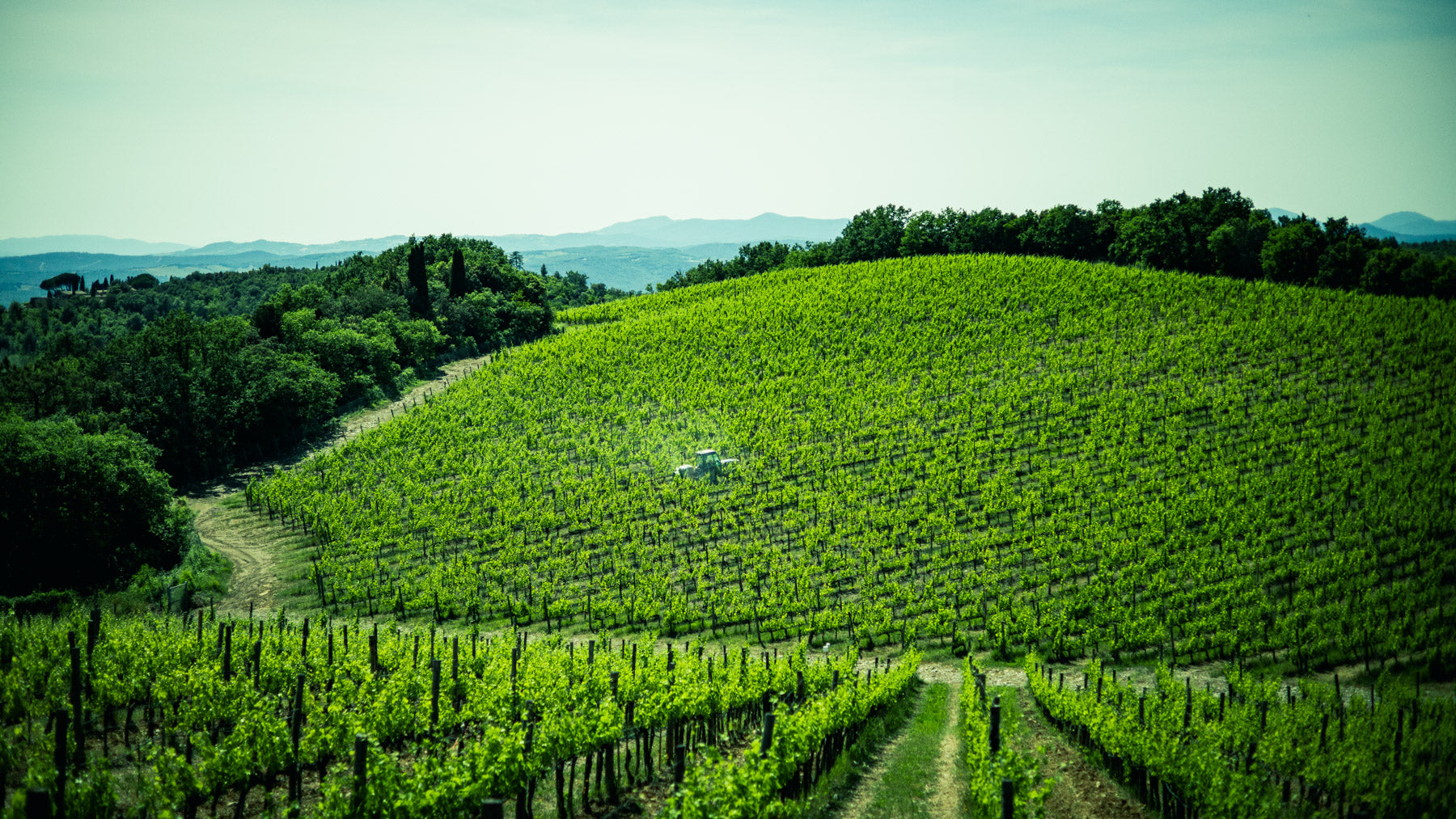
Red Pill
Preset Applied
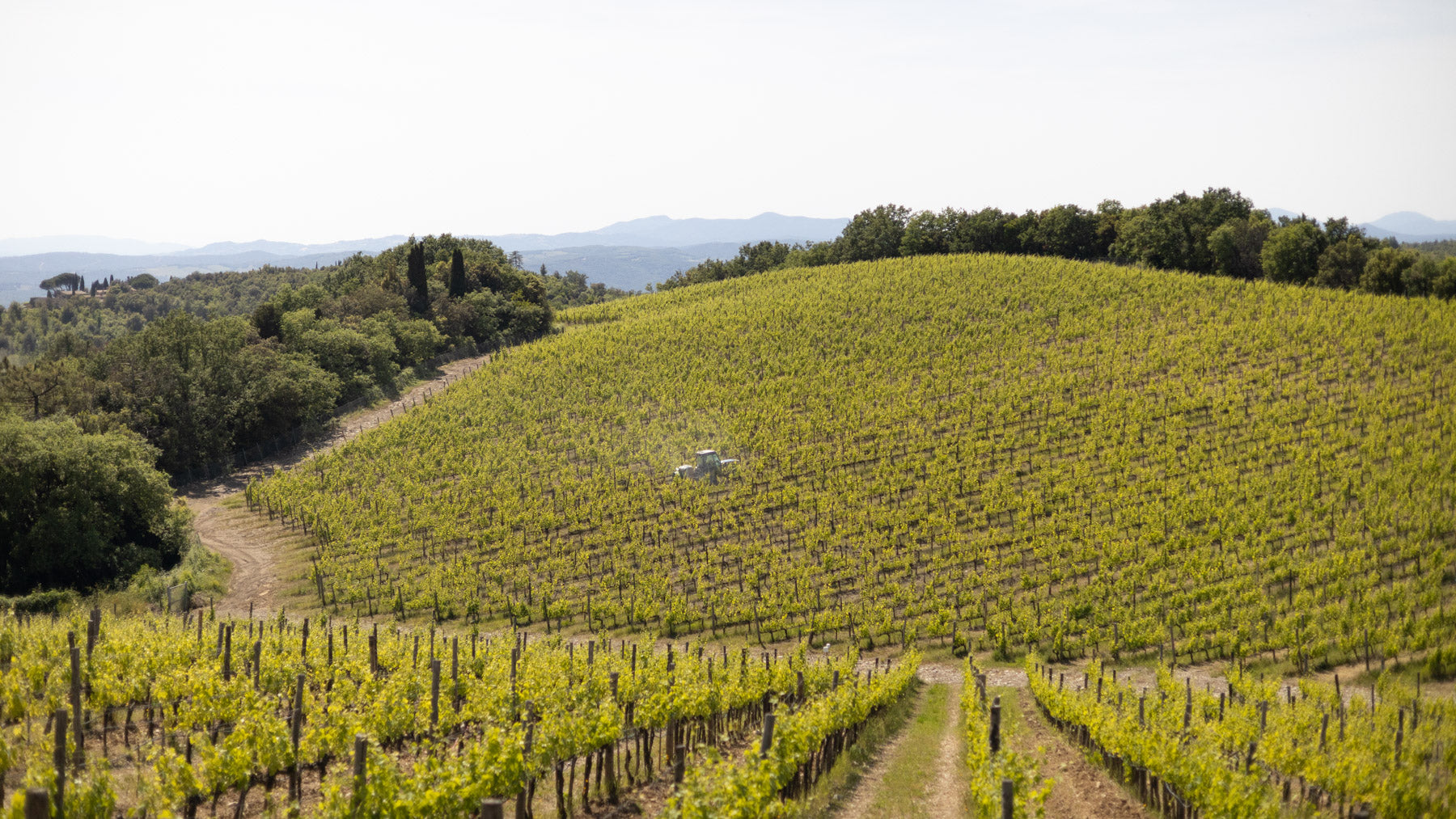
Before
PRESET
Stallion Punch
Inspired by Rocky (1976)
Muted tones, warm shadows, and a raw, slightly desaturated feel. The contrast carries the struggle; the golden hues carry the win.
Best for: documentary-style shots, portraits, gritty streets.
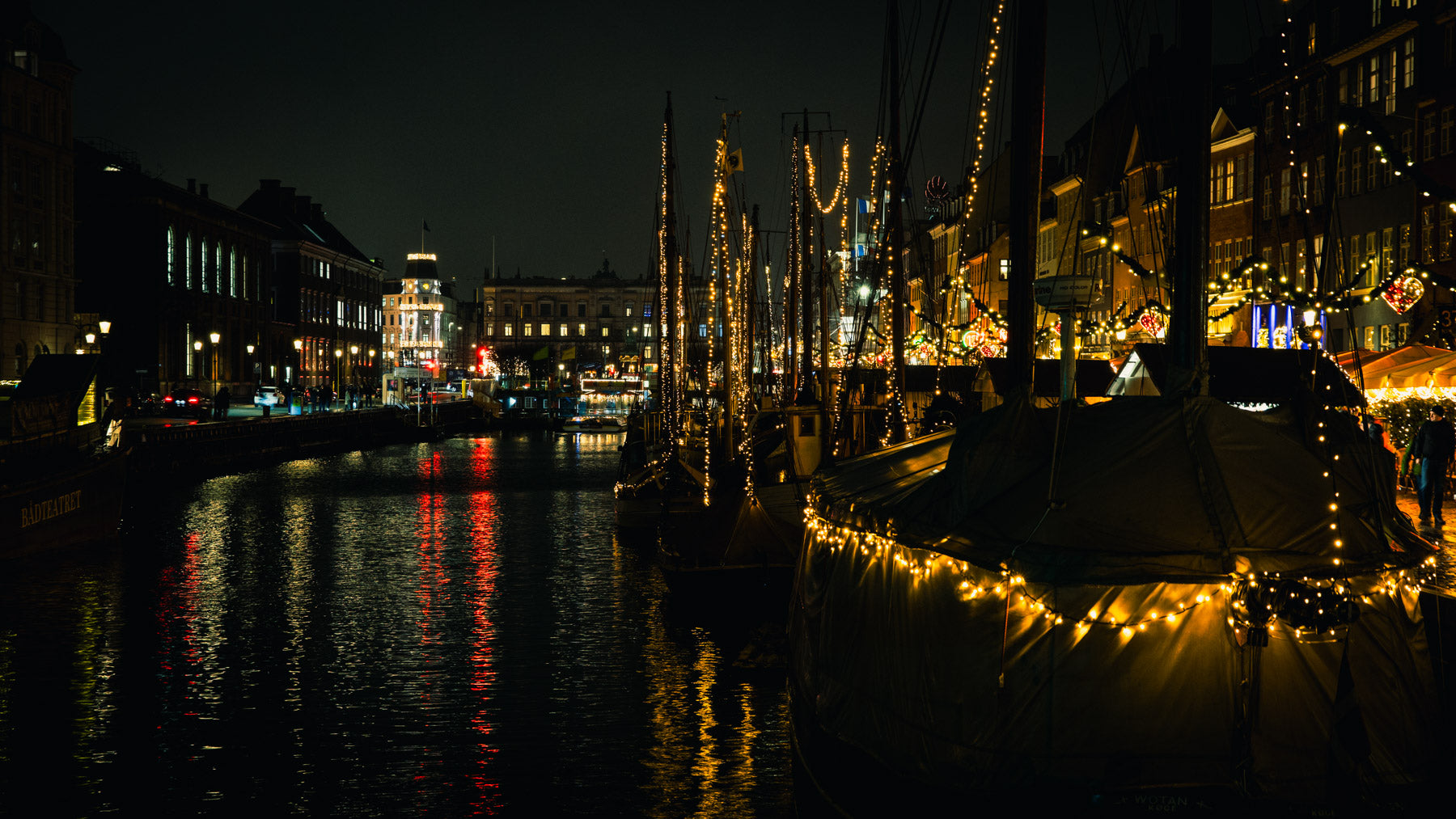
Stallion Punch
Preset Applied
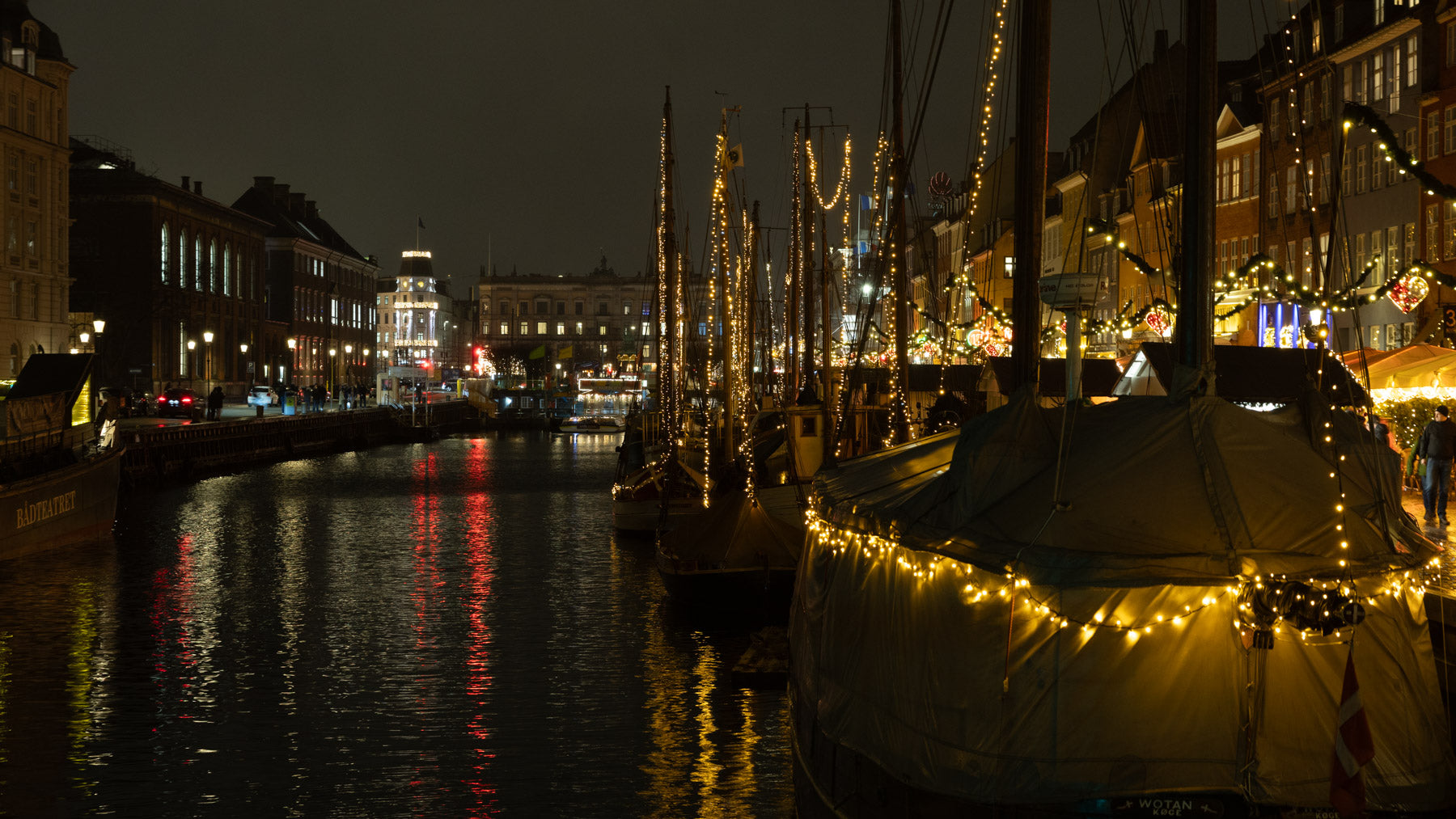
Before
PRESET
T-800
Inspired by The Terminator (1984)
Cold, dystopian, and blue-heavy, with deep shadows and cyan hues. Gritty, futuristic, relentless.
Best for: night city shots, industrial scenes, winter light.
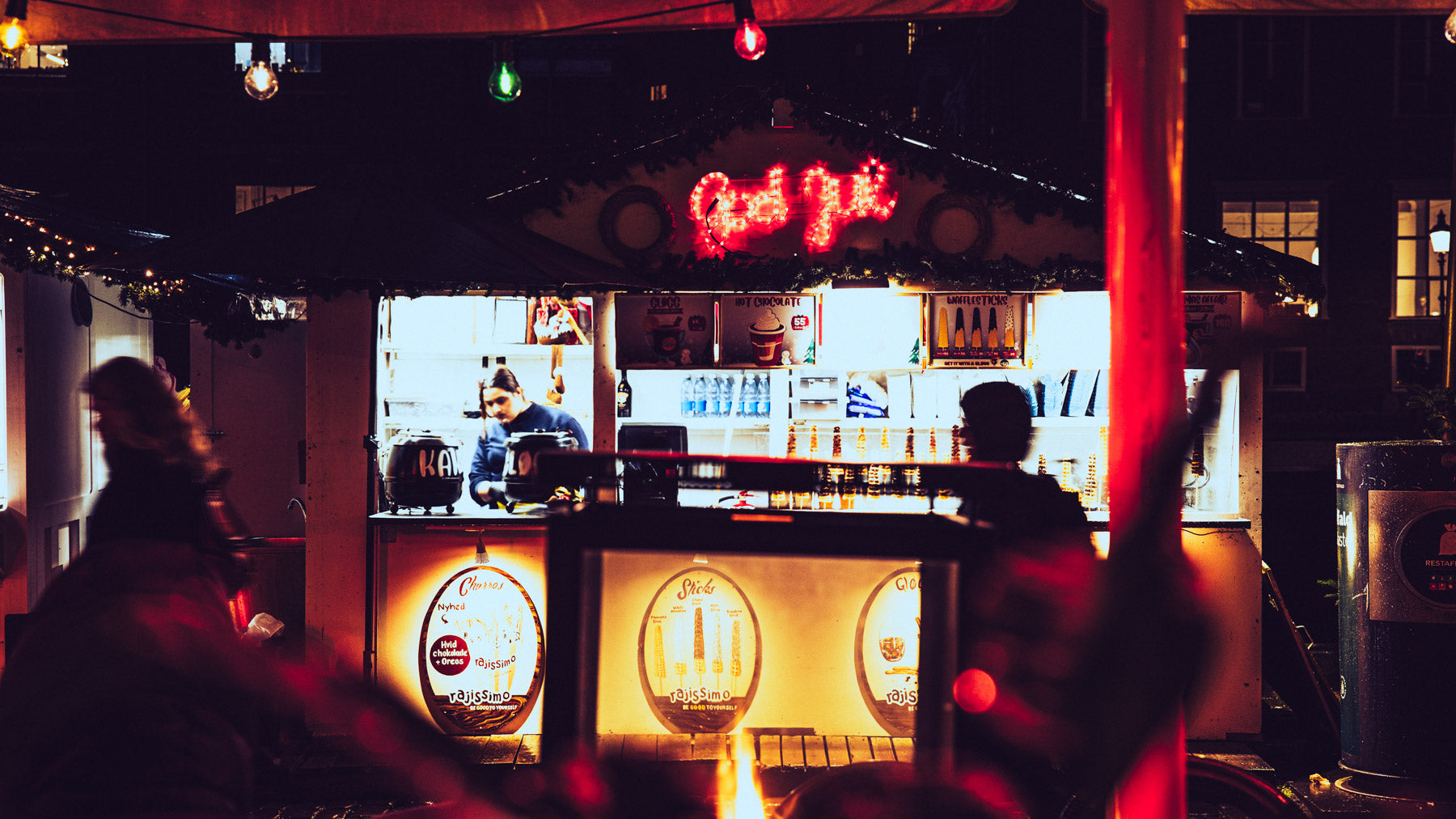
T-800
Preset Applied
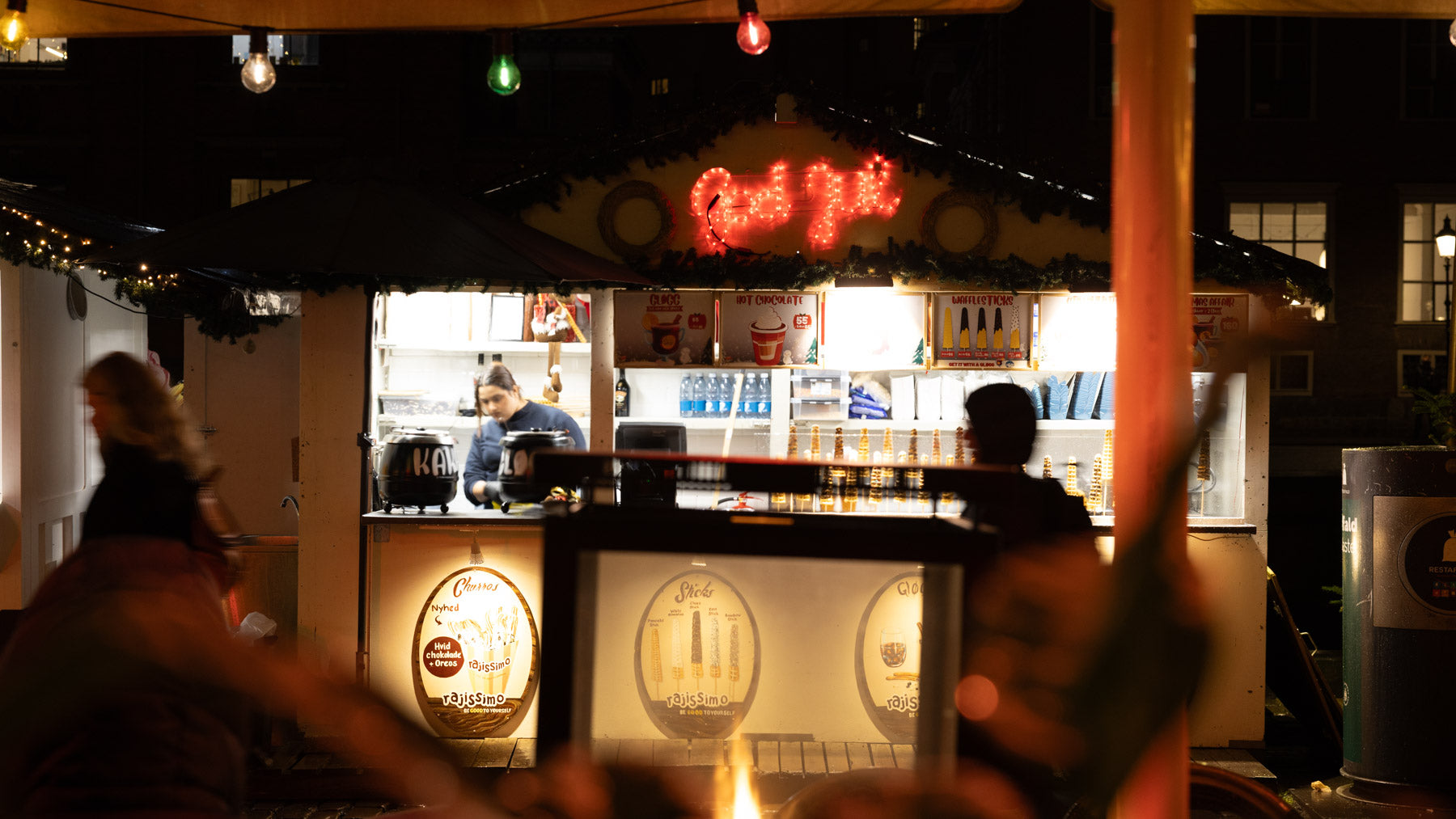
Before
PRESET
The First Rule
Inspired by Fight Club (1999)
Moody and grungy. Strong green and yellow tones, deep blacks, desaturated midtones. Raw and underground.
Best for: urban decay, interiors, edgy portraits.
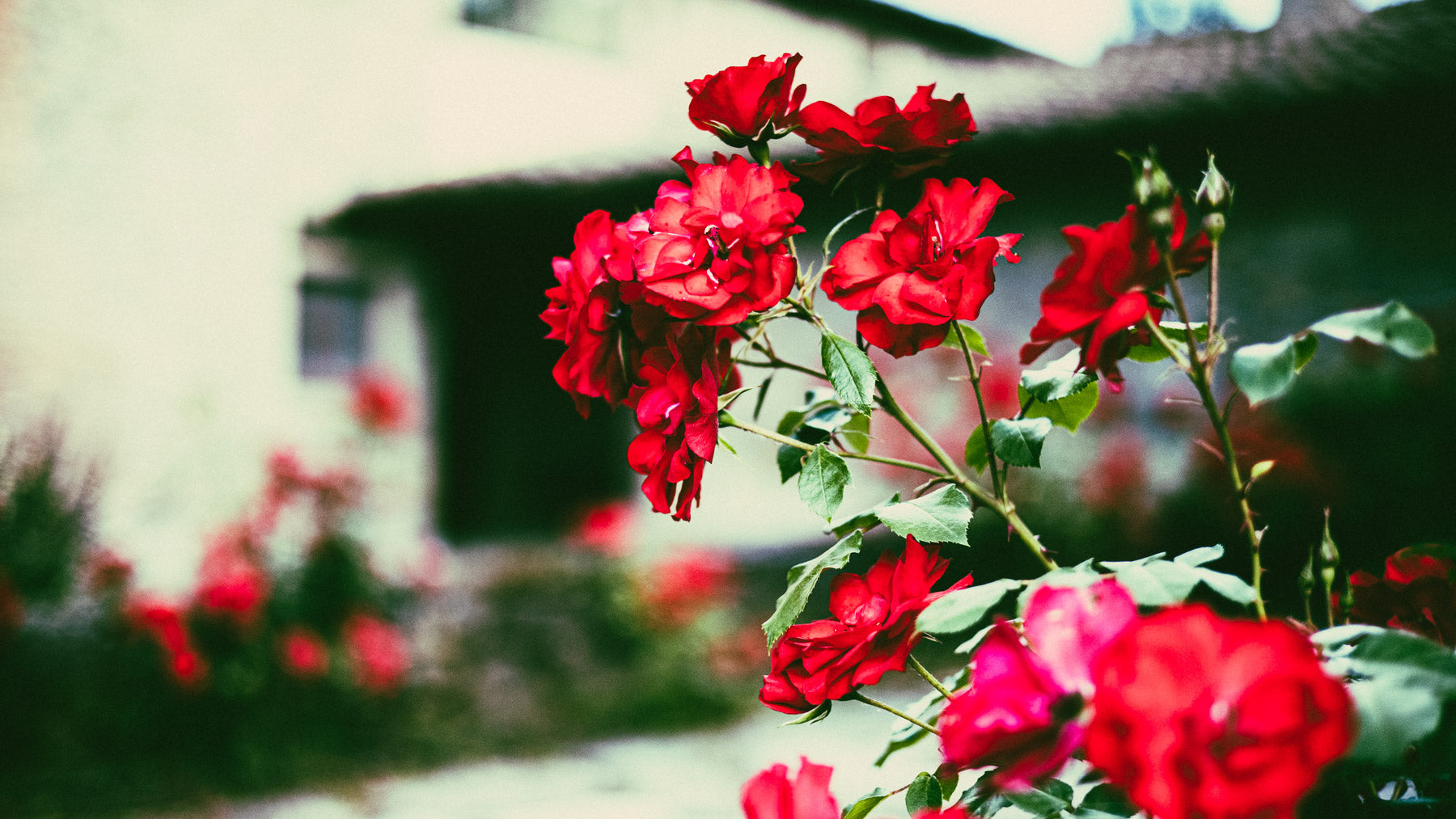
The First Rule
Preset Applied
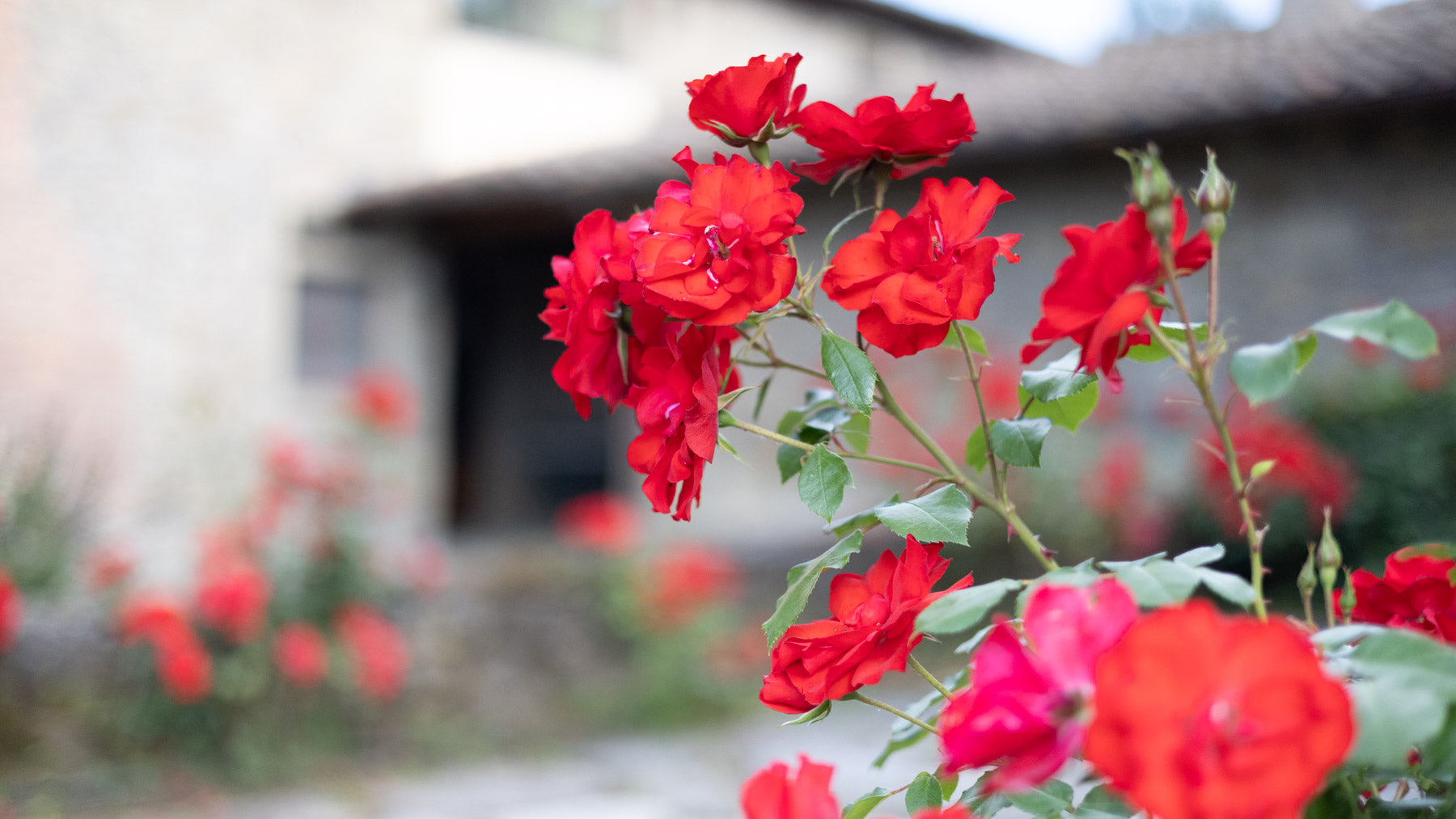
Before
PRESET
Wingman
Inspired by Top Gun (1986)
Bold and high-contrast: warm golden tones, deep blues, and strong reds. Peak 80s blockbuster.
Best for: sunsets, beach shots.
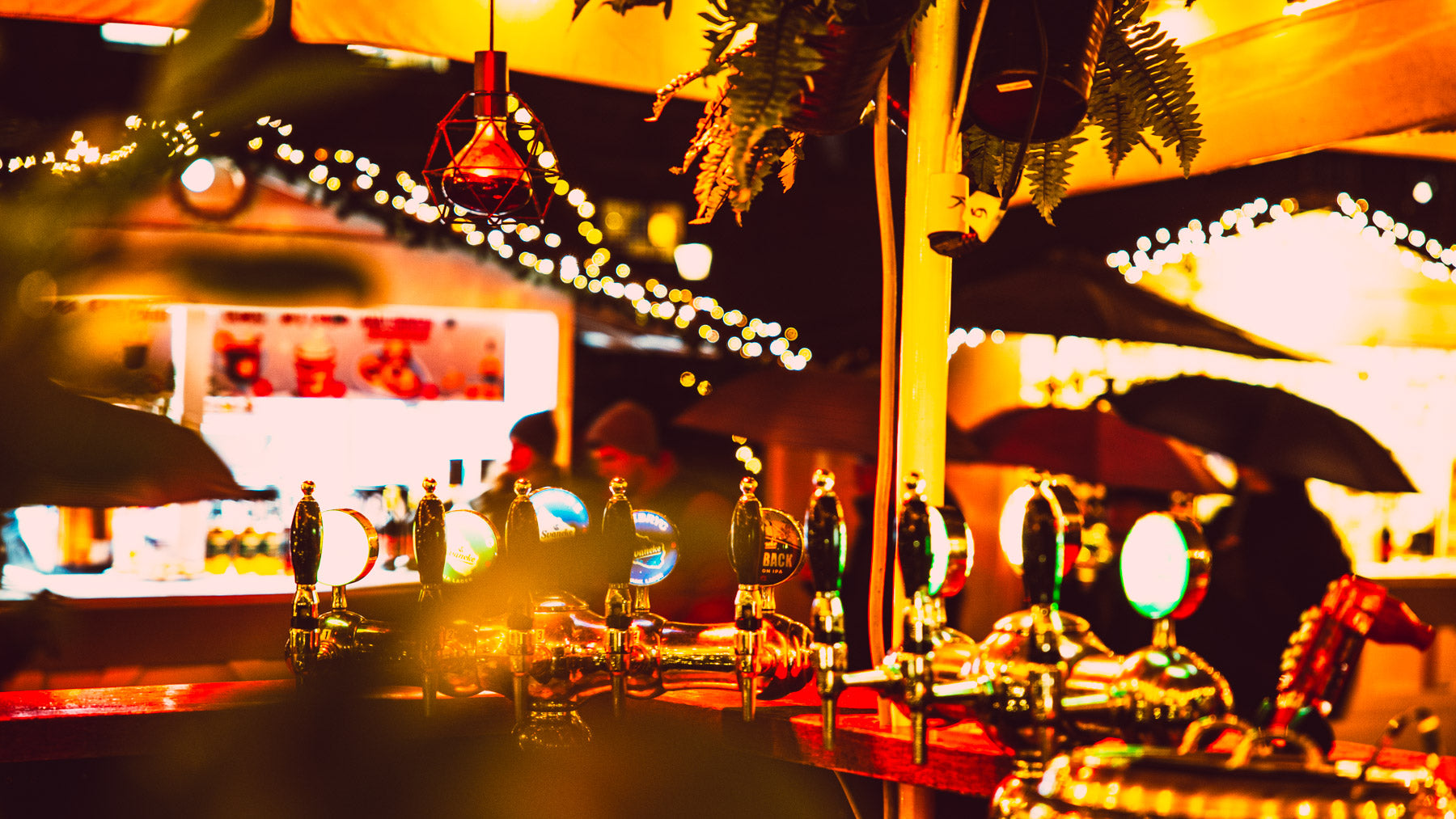
Wingman
Preset Applied
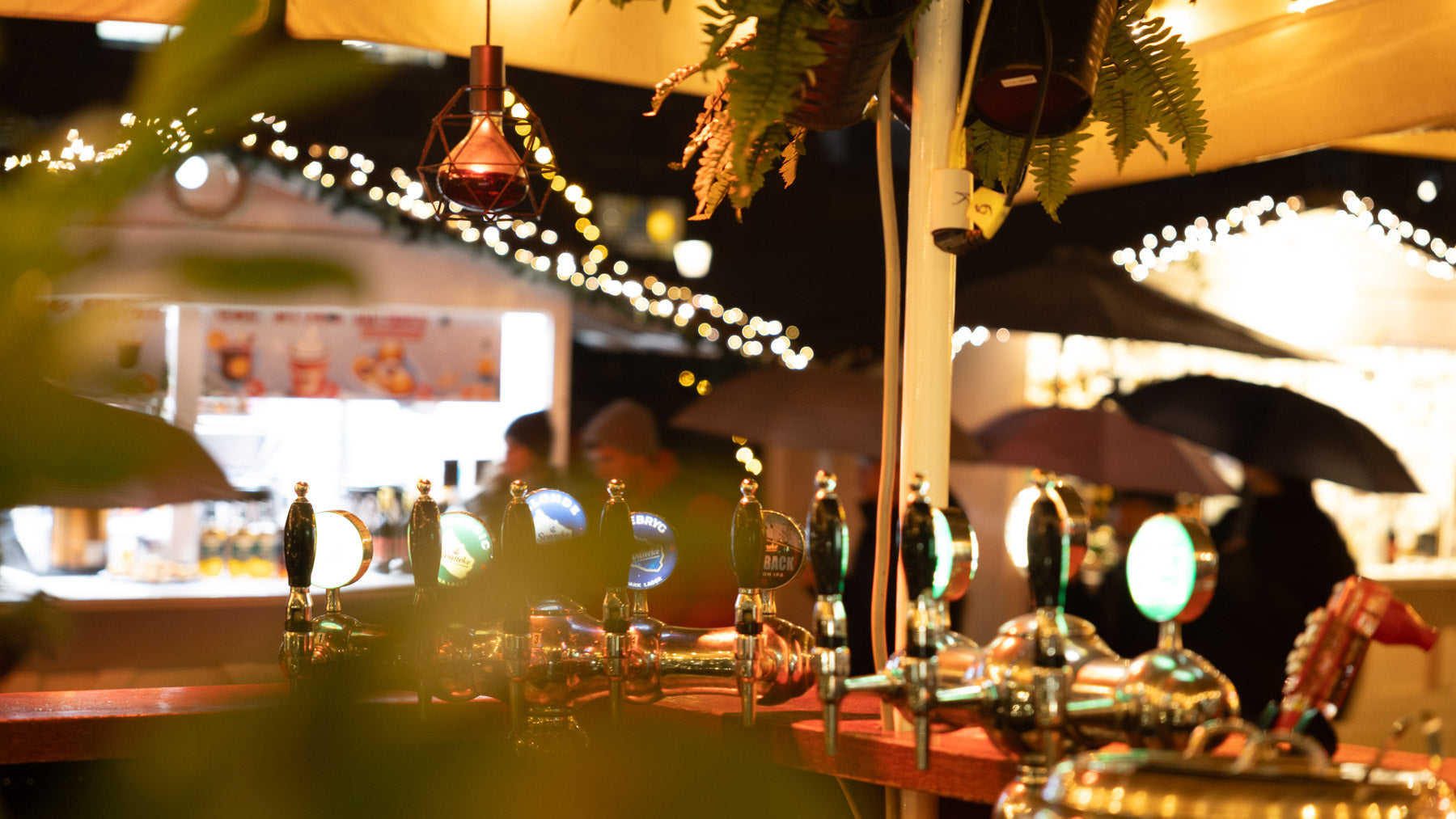
Before
PRESET
Yippee-ki-yay
Inspired by Die Hard (1988)
Gritty but cinematic. Strong blues against warm interior lights, full of tension.
Best for: mixed lighting, night interiors, city streets in December.
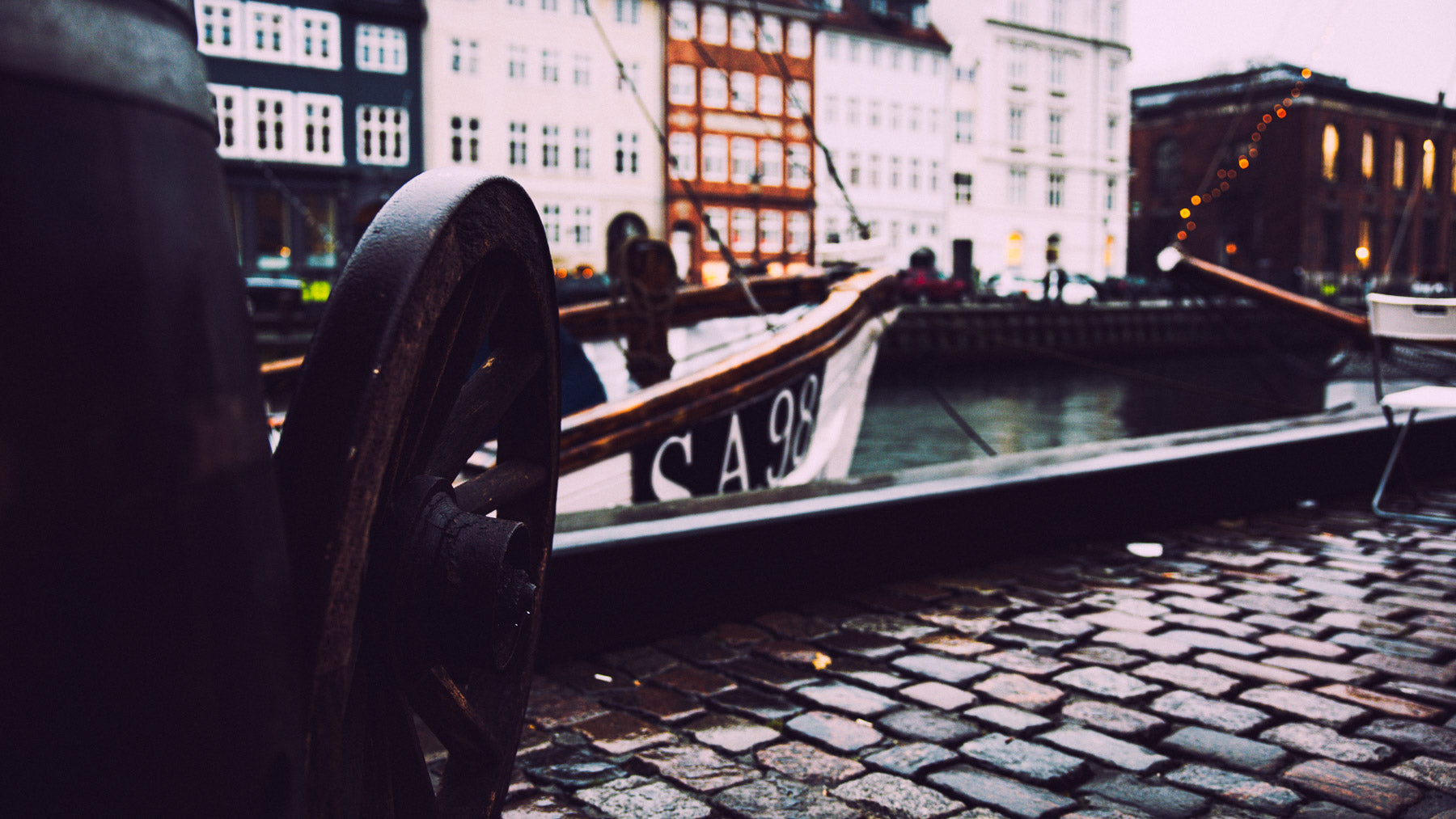
Yippee-ki-yay
Preset Applied
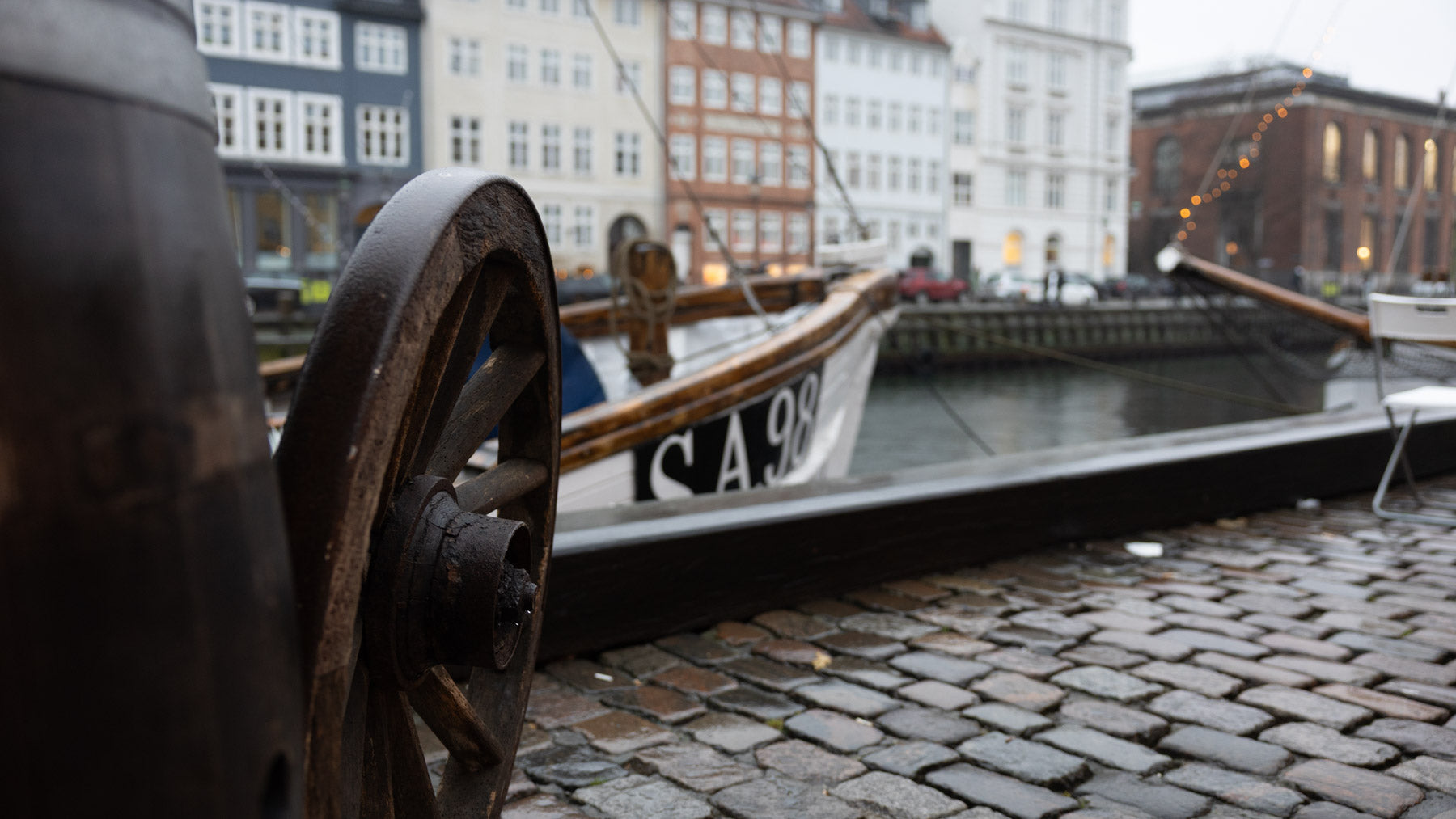
Before
Perfect For:
✔️ Portraits, travel, urban, and lifestyle photography — any shot that deserves a cinematic treatment
✔️ Creating that dreamy VHS look or a crisp 35mm film aesthetic without shooting actual film
✔️ Photographers, filmmakers, and content creators who want consistent, movie-grade color across their feed
Made by a Photographer
I'm Thiago Mazzeo, a photographer and filmmaker based in Sweden. I built these presets for my own work first, testing them across hundreds of photos in different light: Scandinavian winter gray, Tuscan summer sun, city nights. Every before/after on this page is my own photo, edited with one click of the preset shown.
If a preset only works on one perfect photo, it's not a preset — it's a coincidence. These aren't Instagram filters. They're created based on the color grades of true cinematic movies, modeled on how real cinematographers lit and toned these films. These twelve earned their place in the pack.
FAQ
How will I receive the presets?
Instantly. After checkout you'll get an email with a download link. The presets come in a .ZIP file containing .XMP files (for Lightroom Classic, Desktop, and Mobile) and .DNG files (for the free version of Lightroom Mobile).
Are the presets compatible with all Lightroom versions?
Yes. The .XMP files work with Lightroom Classic, Lightroom Desktop, and Lightroom Mobile. If you use the free Lightroom mobile app, the included .DNG files have you covered — no Adobe subscription required.
Do they work on both RAW and JPEG photos?
Yes, though you'll get the most flexibility from RAW files. On JPEGs the presets still work — you may just want to fine-tune exposure and white balance after applying.
Can I adjust the presets after applying them?
Absolutely. A preset is a starting point. Every slider stays fully editable, so you can dial the grain down, push the contrast up, or adapt the look to your shot.
Can I use the edited photos commercially?
Yes! Client work, prints, social media, your portfolio. The presets themselves can't be resold or redistributed, but everything you create with them is 100% yours.
How do I install the presets?
In Lightroom Desktop/Classic: go to the Presets panel, click the three dots → Import Presets, and select the .XMP files. In the free mobile app: open a .DNG file, copy its settings, and save them as a new preset. It takes about five minutes total.
Can I return the product?
Because presets are digital files delivered instantly, all sales are final and non-refundable. If something's wrong with your download, email me and I'll sort it out.