Back when I wrote up my first impressions of the DJI RS 5 Combo, I made a promise: once I actually learned the tracking system properly, I'd come back with a dedicated video. That video is the one embedded below, and it's also where I ran into something worth correcting in writing rather than leaving buried in a YouTube caption.
Same disclaimer as always: this is the gimbal I bought with my own money, no sponsorship involved. This post picks up three specific things from that video, the balancing knobs, the tracking fix, and the Z-axis feature, and goes one layer deeper than the video has time for.
The knobs: why "easy to balance" actually matters for client work
The fine-tuning knobs on the RS 5's arms are a small hardware change that solves a real problem. On older Ronin gimbals, rebalancing after a lens swap usually meant loosening a clamp, sliding a plate, eyeballing it, and repeating until the balance indicator stopped complaining. DJI's own materials describe the RS 5's version as Teflon-enhanced, which is their way of saying the sliding action stays smooth instead of gradually getting notchy the way axis arms do on gimbals after months of use.
For solo client work, the practical effect is exactly what I said in the video: when you need to swap from a 24-70mm to a prime mid-shoot, or hand the rig to a second camera body entirely, rebalancing stops being a 10-minute detour. That's not a flashy spec, but it's the kind of change that shows up in how many usable minutes you actually get on set.
The tracking fix: it was never a bug, it was a mode switch
This is the part I most wanted to write up, because it directly resolves the complaint from my first post about DJI's tracking documentation being thin.
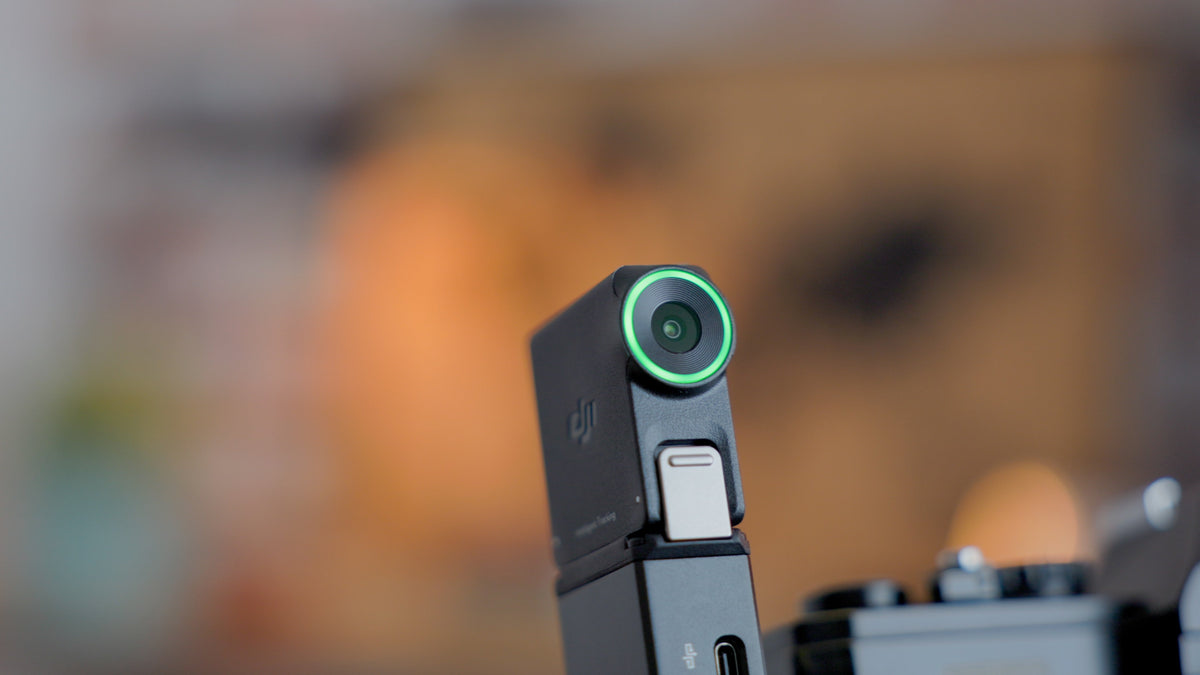
When I originally tried the RS Enhanced Intelligent Tracking Module, I could get the gimbal to follow a subject left and right, but it wouldn't tilt up and down with them. I assumed something was broken. It wasn't. The RS 5 has a physical mode switch with three positions, and each one governs which axes respond to tracking and joystick input at all:
| Mode | What it does | Works with tracking? |
|---|---|---|
| PF (Pan Follow) | Only the pan axis follows movement; tilt stays where you set it manually | Yes, pan only |
| PTF (Pan and Tilt Follow) | Both pan and tilt axes follow movement automatically | Yes, full follow |
| FPV | Adds roll into the mix for a freer, more stylized move | No, tracking is unavailable in this mode |
I had the switch set to PF, which is why the gimbal held its tilt position instead of following my subject vertically. Flipping it to PTF was the entire fix. Worth knowing: composition control while tracking (the two-handed "Double L" gesture that lets you re-center a subject mid-shot) only works in PF or PTF, not FPV, so that switch position matters for more than just tilt.
If you're setting this up for the first time, PTF is the one to default to for walk-and-talk or moving-subject work. Save PF for shots where you specifically want to control tilt yourself while the gimbal handles left-right.
The correction: the Z-axis feature is an indicator, not stabilization
Here's the one I need to walk back from the video. I referred to the RS 5's Z-axis feature as "stabilization" and described it as something no other gimbal on the market handles. That's not quite accurate, and it's worth being precise about, because DJI itself draws a distinction that I glossed over.
What the RS 5 actually has is a Z-Axis Indicator on the touchscreen: a real-time on-screen readout of your vertical movement as you walk. It's feedback, not correction. The gimbal isn't compensating for your up-and-down bounce the way its motors compensate for pan, tilt, and roll. It's showing you the bounce so you can adjust your own gait and pace to reduce it, which is exactly the "ninja walk" technique I mentioned in the video. The skill still lives in your legs, not in the hardware.
That's a meaningful distinction if you're comparing gimbals on spec sheets. "Z-axis stabilization" and "Z-axis indicator" sound like the same feature, but one implies the gimbal fixes vertical shake for you and the other means it's coaching you to fix it yourself. The RS 5 does the second one. It's still a genuinely useful addition, since most gimbals give you zero feedback on vertical movement and leave you guessing whether your walk is clean until you review footage later. But it's coaching, not correction.
The bonus feature has an actual name
The auto lock and unlock behavior I called "just a cool party trick" in the video is DJI's second-generation Automated Axis Locks. Press and hold to power on, and all three axes unlock and the arms expand into position automatically. Power off, and they lock back down for transport. It's genuinely just a convenience feature, no hidden functional benefit, but it's built specifically to cut the pack-up-and-move time between setups on a client shoot, which is the same problem the fine-tuning knobs are solving from a different angle.
Where this leaves the kit
Between this and the original RS 5 research post, the tracking module has gone from "promising, not yet mastered" to something I'd actually put in front of a client. The next test is running it through a full shoot with the Hollyland Pyro 5 mounted on the briefcase handle, checking focus on a proper screen while the gimbal handles the tracking side. That combination is the whole reason I paired the two in the first place.
Have you run into the PF versus PTF mix-up on any Ronin gimbal, or was that just me not reading the manual closely enough? And if you've used the Z-axis indicator on a long walking shot, did it actually change how you moved? Let me know in the comments of my YouTube video.
Share:
The Best Photo Locations in Helsingborg (and When the Light Actually Works)
Two Years With PolarPro's Magnetic VND/PL: The Chroma Helix, Reviewed (And How It Compares to NiSi)