
5 Reasons I Keep Reaching for the DJI Osmo Nano (And I've Taken It Across Three Countries to Prove It)
I bought this camera with my own money. No sponsorship, no gifted unit. Just me deciding I needed something small enough to disappear into daily life and still produce footage I could actually use.
So far I've shot with it in Sweden, Spain, and Brazil. Through airports, crazy traffic, a Brazilian barbershop, and an 11-hour overnight flight with a baby who slept for maybe two hours total. Here's what that trip taught me about the five things that make the DJI Osmo Nano genuinely worth owning.
1. The Size and Form Factor Are Actually Transformative
This sounds obvious! You know it's small before you buy it. But you don't really understand what that means until you're wearing it on a chest mount through a crowded São Paulo street and nobody looks at you twice.
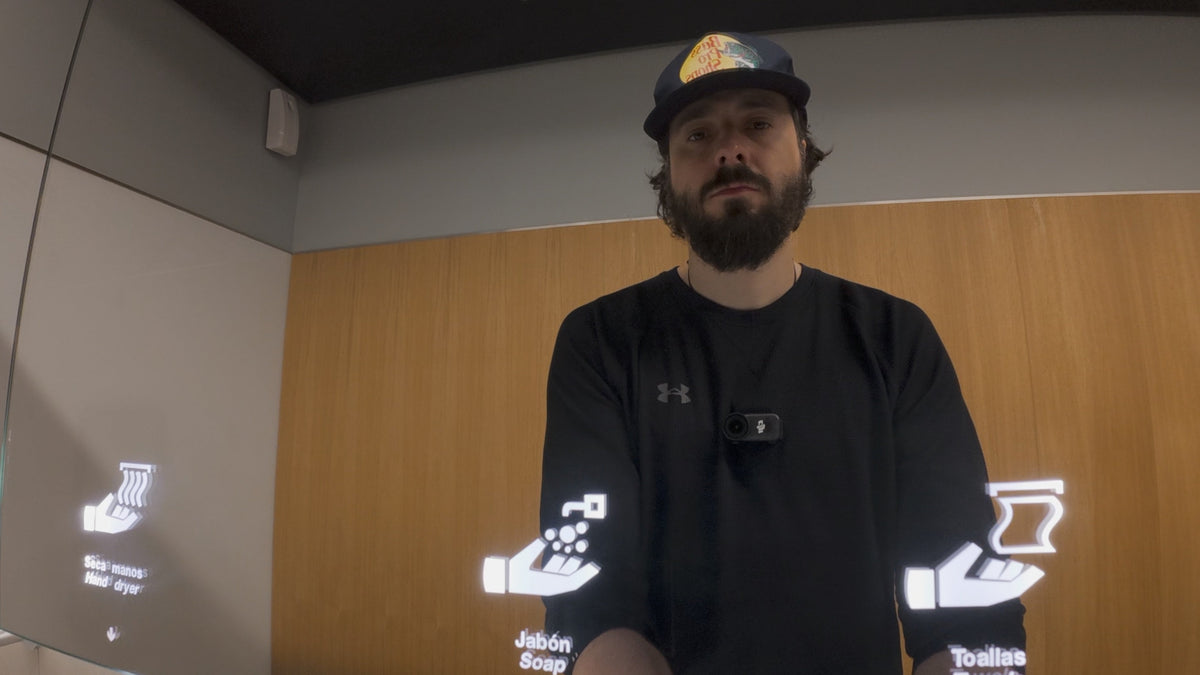
The camera module weighs 52 grams and measures 57.3 × 29.5 × 28mm. For context: that's lighter than most protein bars and smaller than a deck of cards. You can fit it in a chest mount, clip it to a hat, hang it on a lanyard, or stick it magnetically to almost any surface. In every case, it becomes part of the scene rather than an intrusion into it.
That discretion matters more than people give it credit for. When you're travelling with family, or shooting in everyday moments where pulling out a mirrorless rig would be weird or intrusive, this thing just disappears. I wore it through a Brazilian barbershop while getting a haircut. The barber didn't care. The camera kept rolling. That footage exists.
A regular mirrorless camera, even a small one, couldn't do that. The Nano can go places that nothing else in your kit can reach.
2. The Audio Situation Is Better Than You'd Expect — With One Catch
The Nano has two built-in microphones, and they're genuinely usable for casual vlogging and talking-head content. In calm conditions, the internal audio is decent enough that you won't be embarrassed by it.
The catch: grip matters. The camera module is so small that it's easy to accidentally cover the mic ports with your fingers. Worth being deliberate about where your hand sits.
The more interesting spec is the direct wireless mic connectivity. The Nano can pair with DJI Mic 2, Mic 3, and Mic Mini transmitters without needing a separate receiver. The transmitter connects straight to the camera. That's a meaningful advantage if you're already in the DJI audio ecosystem. It also supports two transmitters simultaneously, which DJI notes is useful for two-person interview setups, though for solo creators it means you can keep a dedicated transmitter on your subject while the camera roams.
I haven't been able to test this myself yet as the DJI mic I own isn't compatible with the Nano (DJI Mic 1), but it's on the list. Once I pick up a compatible transmitter, the audio situation goes from "fine" to "proper."
For anything windy or outdoors, plan around the wireless mic. The internal mics handle wind the way all small cameras handle wind: not well.
3. The Versatility Goes Beyond Just Being Small
When DJI says "modular," they mean it in a way that actually changes how you shoot rather than just being a marketing word.
The Vision Dock! The screen module detaches from the camera entirely. So you can mount just the camera body somewhere impossible, then hold the dock separately to monitor what you're recording and flip the angle or adjust settings in real time. Stick the camera inside a tight space, point it at something unusual, and watch the feed on the dock from a comfortable position. That's a genuinely different way to work.
The 4:3 aspect ratio mode is worth mentioning here too. Shooting 4:3 gives you a taller frame that you can crop to either 16:9 for YouTube or 9:16 for Reels and Shorts in post, from a single file. If you're producing across multiple formats, one take becomes two deliverables. For the video above I shot mostly 16:9, but on future trips I'll be testing the 4:3 workflow more seriously.
And the stabilization holds up. RockSteady 3.0 handles walking and general movement well. HorizonBalancing keeps the frame level within ±30° of tilt, useful for chest mounts where your body doesn't move in a perfectly straight line.
4. Battery Life Works — If You Understand What You're Actually Getting
DJI rates the camera alone at 90 minutes and the camera paired with the Vision Dock at 200 minutes. Those numbers are measured at 1080p/24fps with the screen off and Wi-Fi disabled. Real-world 4K use will be lower.
Here's what the system actually does: when the camera is docked, the dock charges the camera first, then itself. So you're essentially running on the dock's 1300 mAh battery while the camera's 530 mAh cell stays topped up. The dock also fast-charges the camera to 80% in 20 minutes via USB-C, which is useful if you have a power bank handy.
In practice, I've shot a full day on paternity leave. Several hours of intermittent 4K recording, and ended with charge remaining. I'd leave the camera recording while the dock was being charged, then reconnect them, and the system managed itself without me needing to stress about it.
If you're in situations where you need to hot-swap batteries and keep recording continuously, the Nano isn't your camera — the DJI Osmo Action 6, 5 or 4 with its swappable cells would suit that better. But for the kind of grab-and-go, start-stop travel shooting this camera is built for, the battery system works.
5. The Mounting Ecosystem Is the Real Long Game
This is the one that compounds over time.
The Nano uses DJI's magnetic + clamp mounting system, and the key thing to understand is that it's compatible across DJI's entire action camera lineup. Any accessory that works with DJI's other action cameras — chest mounts, hat clips, handlebar mounts, suction cups, all works with the Nano too. You're not buying into a proprietary dead end; you're buying into an existing accessory catalogue.
Out of the box you get a magnetic hat clip and a magnetic lanyard for body mounting, plus a ball head adapter with suction cup. The magnets are strong enough to feel secure, but the camera also has the clamp-style mechanical lock for anything where you really don't want it moving.
For POV shots, I almost always go with the chest mount. It gives a first-person perspective that's stable and natural-looking without the tilted helmet-cam angle you get from head-mounted options. The magnetic attachment makes swapping between mounts fast, which matters when you're trying to catch a moment rather than set up a shot.
If you're considering the Nano, spend some time thinking about what mounting configurations actually fit your life. The ecosystem is one of the stronger arguments for this camera over competitors. The variety of angles you can get is significantly wider than what you'd achieve with a phone or a traditional mirrorless setup.
The Honest Summary
I've taken this camera through three countries and put it through the kind of travel that reveals where gear actually falls short. The size is the headline, but the full picture is: the audio connectivity is well thought-out, the Vision Dock modular system gives you real creative flexibility, the battery holds up under normal use, and the mounting ecosystem means you keep finding new places to put it.
It won't replace a mirrorless camera. It's not trying to. It fills the space between "I have my main camera" and "I can't set that up right now". For that job, it's very good.
And if you're curious about the other side of that equation, the "main camera" half of the kit just got an upgrade. I've added the DJI RS 5 Combo gimbal for stabilized client work, and I wrote up everything DJI's own app wouldn't tell me about it, from the tracking module to the Bluetooth pairing headaches.
Want the Technical Deep Dive?
If you want to go further into the spec sheet — what DJI claims vs. what actually happens in real shooting, the D-Log M color settings I use to match it to the Canon R6 Mark II, and how it held up inside a pitch-black aquarium in Copenhagen — I wrote a separate post covering exactly that.
Read: The DJI Osmo Nano for Photographers: What the Spec Sheet Doesn't Tell You →
That post goes deep on settings, low-light performance, and the honest battery numbers. This one is about why I keep reaching for it. Both are worth reading if you're seriously considering the Nano.
Share:
Why I Added a Field Monitor to My Canon R6 Mark II Setup (And What I Chose)
The DJI RS 5 Combo: Everything I Had to Research Myself (Because DJI's App Wouldn't Tell Me)